
If you have ever waited weeks for a ticket sale only to end up stuck in the Ticketmaster queue, you’re not alone. Thousands of fans face the same frustration every day—watching the progress bar freeze. The queue number refuse to move, or the page suddenly reload without warning. In some cases, users even lose their place entirely.
The Ticketmaster queue system is designed to be fair and secure, but under heavy demand. It can feel unpredictable and unforgiving. Whether you’re trying to buy concert tickets, sports seats, or comedy show passes. Getting stuck at the wrong moment can cost you the best seats—or any seats at all.
This guide is based on real Ticketmaster queue behavior observed across high-demand ticket drops, user-reported issues, and technical analysis of how virtual waiting rooms operate during peak traffic events. Stuck in Ticketmaster Queue
Last updated: 2026 | Applies to the current Ticketmaster queue system
How the Ticketmaster Queue Works (Quick Breakdown)
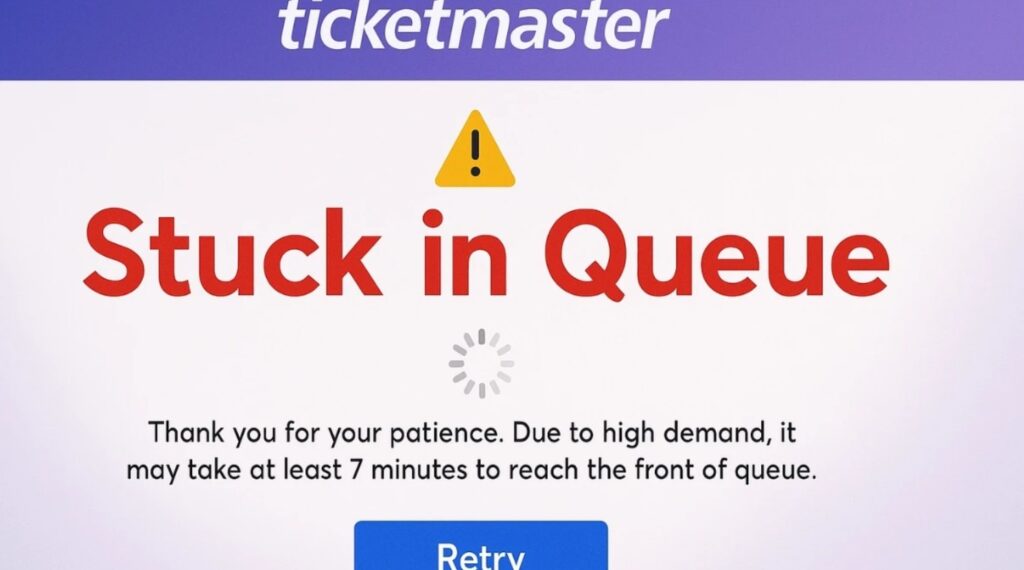
Before fixing the problem, it’s essential to understand what’s actually happening behind the scenes.
Ticketmaster uses a virtual waiting room combined with traffic-throttling and session-based queue controls to manage massive demand, prevent overselling, and avoid system crashes during high-demand events.
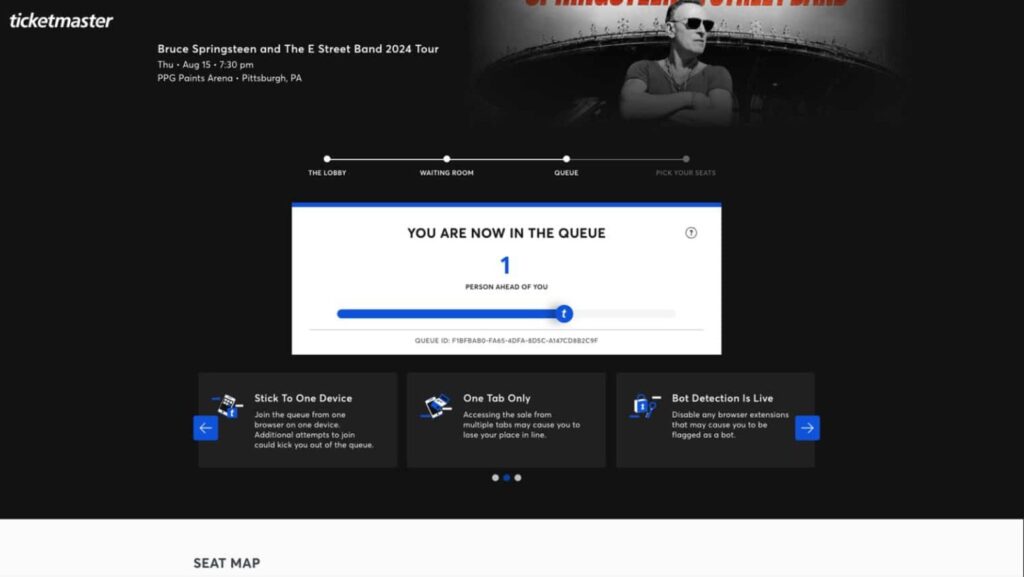
The typical flow looks like this:
- Waiting Room Opens – Usually 10–30 minutes before ticket sales begin
- Queue Assignment – Users are randomly assigned a spot when sales start
- Queue Progress – Your position updates as others complete checkout
- Checkout Access – You’re redirected when it’s your turn
Important things to know:
- Your queue position is not first-come, first-served
- Refreshing the page can reset or flag your session
- Being in the queue does not guarantee tickets
When everything works smoothly, the process feels fair. When it doesn’t, users feel stuck—and that’s where problems begin. How to Fix Ticketmaster Kicked Me Out of the Queue
Why You Get Stuck in the Ticketmaster Queue
Getting stuck usually isn’t random. There are specific technical and behavioral reasons why the queue appears frozen or stops updating.
1. Extreme Demand & Server Throttling
When millions of users attempt to access the same event simultaneously, Ticketmaster deliberately slows queue movement to prevent checkout crashes. This can make it appear like the queue isn’t moving at all.
Common signs:
- Progress bar frozen at the same percentage
- “Estimated wait time” keeps changing
- Long pauses followed by sudden jumps
This is normal during:
- Stadium concerts
- Taylor Swift-level demand events
- Major sports playoffs
- Limited presales
Patience matters here more than any trick.
2. Internet Instability or Network Conflicts
Your queue position depends on a stable session connection. If your internet briefly drops—even for a second—the system may stop updating your progress.
Risk factors include:
- Weak Wi-Fi signals
- Public or office networks
- Switching between Wi-Fi and mobile data
- VPNs or proxy connections
Even if the page looks active, the backend session may already be broken.
3. Browser Cache, Cookies, or Extensions
Browsers store session data through cookies. Corrupted cache files or aggressive extensions (especially ad blockers, privacy tools, or auto-refresh plugins) can interfere with queue scripts.
This often causes:
- Blank queue screens
- Endless loading spinners
- Progress bar not updating
- Sudden “Your session has expired” messages
Chrome, Firefox, and Edge can all experience this.
4. Anti-Bot Detection Triggers
Ticketmaster uses sophisticated bot-detection systems. Certain actions can accidentally flag real users.
These include:
- Opening multiple tabs for the same event
- Logging in on several devices at once
- Rapid refresh attempts
- Switching IP addresses mid-queue
When flagged, the system may silently freeze your progress or pause your browsing activity.
5. Device or Session Conflicts
Using the same Ticketmaster account across:
- Desktop + mobile browser
- Mobile app + browser
- Multiple browsers simultaneously
…can confuse the session logic. One session may overwrite another, causing the queue to stall or reset.
Is It Safe to Exit the Ticketmaster Queue?
This is one of the most common questions—and the answer depends on how you exit.
Unsafe Actions (Avoid These)
- Closing the tab without checking status
- Refreshing repeatedly
- Logging out mid-queue
- Clearing cookies during the queue
- Switching networks or VPNs
Any of these can cause you to lose your position entirely.
Safer Situations to Exit
You may safely exit only if:
- The queue has completely frozen for 30+ minutes
- You receive a clear error message
- The page fails to load entirely
- Ticketmaster explicitly redirects you out
Even then, rejoining usually places you at the back of the queue, not your original spot.
How to Handle a Stuck Ticketmaster Queue Safely (Step-by-Step)

This section is crucial—follow it carefully.
Step 1: Do Nothing (Yes, Really)
If the page is loading and no error appears:
- Do not refresh
- Do not close the tab
- Do not open another tab
Queue movement can be slow and uneven. Many users get in only because they waited longer than others.
Step 2: Check Your Internet (Without Disconnecting)
While staying on the page:
- Stop other downloads or streaming
- Ask others on your network to pause usage
- Avoid switching networks mid-queue
A stable, uninterrupted connection is more important than speed.
Step 3: Monitor for Error Messages
If you see messages like:
- “Your session has expired”
- “Your browsing activity has been paused”
- “Something went wrong”
Then it’s safer to exit and retry than to keep waiting on a dead session.
Step 4: If You Must Exit, Do It Cleanly
If the queue is clearly broken:
- Close only one tab
- Reopen a fresh browser window
- Log in again
- Rejoin the event page
Do not open multiple tabs at once when retrying. If any doubts, you can contact at official Ticketmaster phone number to get assistance from an expert.
Best Practices before Joining Any Ticketmaster Queue
Preparation dramatically improves success rates.
1. Prepare Your Account Early
- Log in 30–60 minutes before sale time
- Save payment details
- Confirm billing address
- Update your password beforehand
2. Use One Device, One Browser
Choose:
- Desktop browser or
- Mobile app
Not both.
3. Disable Risky Extensions
Temporarily turn off:
- Ad blockers
- VPNs
- Auto-refresh tools
- Privacy spoofers
4. Join the Waiting Room Early
Entering the waiting room early does not guarantee a better spot, but it ensures your session is valid before demand spikes.
Mobile App vs Desktop: Which Is Better?
Desktop Pros
- Larger screen for seat selection
- Faster checkout typing
- More stable wired connections
Mobile App Pros
- Optimized queue handling
- Fewer extension conflicts
- Push notifications
Best strategy:
- Use one device
- Stick with it until checkout completes
The Last Few Lines!
Getting stuck in the Ticketmaster queue is frustrating, but most failures happen because users panic and make risky moves. The queue system is designed to reward stable sessions, patience, and clean behavior—not speed or tricks. Ticketmaster Purchase Failed but Amount Debited
Below are answers to the most common questions users search for when stuck in the Ticketmaster queue.
Frequently Asked Questions (FAQs)
Why is my Ticketmaster queue not moving?
If your Ticketmaster queue is not moving, it does not automatically mean something is wrong. Heavy demand, server-side throttling, or temporary session instability can slow queue movement dramatically.
When a major event goes on sale. Ticketmaster deliberately slows down how many users can access checkout at one time. This prevents system overload and ensures transactions process correctly. As a result, queue movement can appear frozen for several minutes—or even longer—before suddenly jumping forward.
Common reasons include:
- A large number of users completing checkout at the same time
- Ticketmaster temporarily pausing queue advancement to stabilize servers
- Your session waiting for earlier users to finish payment or time out
Important to know:
- Queue progress is not linear—long pauses followed by sudden movement are normal
- Estimated wait times are only approximations and can change frequently
- A stalled progress bar does not mean your session is broken
Best practice: If there is no error message, do not refresh or exit. Staying in the queue is usually the safest option.
Does refreshing the Ticketmaster queue help?
No, refreshing the Ticketmaster queue almost always makes things worse.
Refreshing can:
- Reset your queue position
- Break your active session
- Trigger anti-bot or suspicious activity checks
- Force you to rejoin the queue from the beginning
Ticketmaster tracks session behavior closely during high-demand sales. Repeated refreshes may be interpreted as automated behavior, even if you’re a genuine user. Once flagged, your queue progress may pause entirely or you may receive a “browsing activity paused” message.
What to do instead:
- Allow the page to update automatically
- Keep the tab open and active
- Only refresh if you receive a clear error message or the page fully crashes
If the queue looks slow but is still loading, refreshing is never the correct solution. Ticketmaster Password Reset Not Working
Can I open Ticketmaster in two tabs or browsers?
No. Opening Ticketmaster in multiple tabs, windows, or browsers for the same event is strongly discouraged.
Doing this increases the risk of:
- Session conflicts
- Queue freezes
- Anti-bot detection
- Being temporarily blocked from the site
Ticketmaster is designed for one session per user per event. When the system detects multiple concurrent sessions tied to the same account, IP address, or device fingerprint, it may pause or invalidate one or all sessions.
This includes:
- Two tabs in the same browser
- One tab in Chrome and another in Edge
- Desktop browser + mobile browser at the same time
Best practice:
Use one device, one browser, one tab until checkout is complete. This gives you the highest chance of stable queue progression.
Does a frozen Ticketmaster queue mean tickets are sold out?
Not necessarily. A frozen or slow-moving queue does not automatically mean tickets are sold out.
In most cases, a frozen queue indicates:
- Checkout traffic is being throttled
- Many users are currently selecting seats or completing payment
- Ticketmaster is limiting access to prevent overselling
Tickets are usually marked as sold out only after:
- All checkout sessions complete
- Reserved tickets expire
- Inventory is officially exhausted
Signs tickets may still be available:
- Queue page continues to load without errors
- Progress bar updates intermittently
- You have not been redirected away from the event
Signs tickets may be sold out:
- Official “Sold Out” message appears
- You’re redirected back to the event page without checkout access
- Ticketmaster explicitly states no inventory remains
Key point: A frozen queue is far more often a traffic control issue than a sold-out indicator.
Can Ticketmaster ban me for leaving the queue?
No, Ticketmaster will not permanently ban your account simply for leaving or exiting a queue. However, certain behaviors can result in temporary session blocks or access restrictions.
Actions that may trigger a temporary block:
- Rapid refreshing
- Opening multiple tabs or browsers
- Switching IP addresses mid-queue
- Using VPNs or proxy services
- Repeatedly rejoining the same queue in a short time
When this happens, users may see messages like:
- “Your browsing activity has been paused”
- “Something went wrong”
- “Access denied”
These blocks are usually temporary and resolve after:
- Closing all Ticketmaster tabs
- Waiting a short cooldown period
- Rejoining with a clean session
Important: Leaving the queue itself is not a violation—but suspicious behavior surrounding the queue can temporarily limit access.