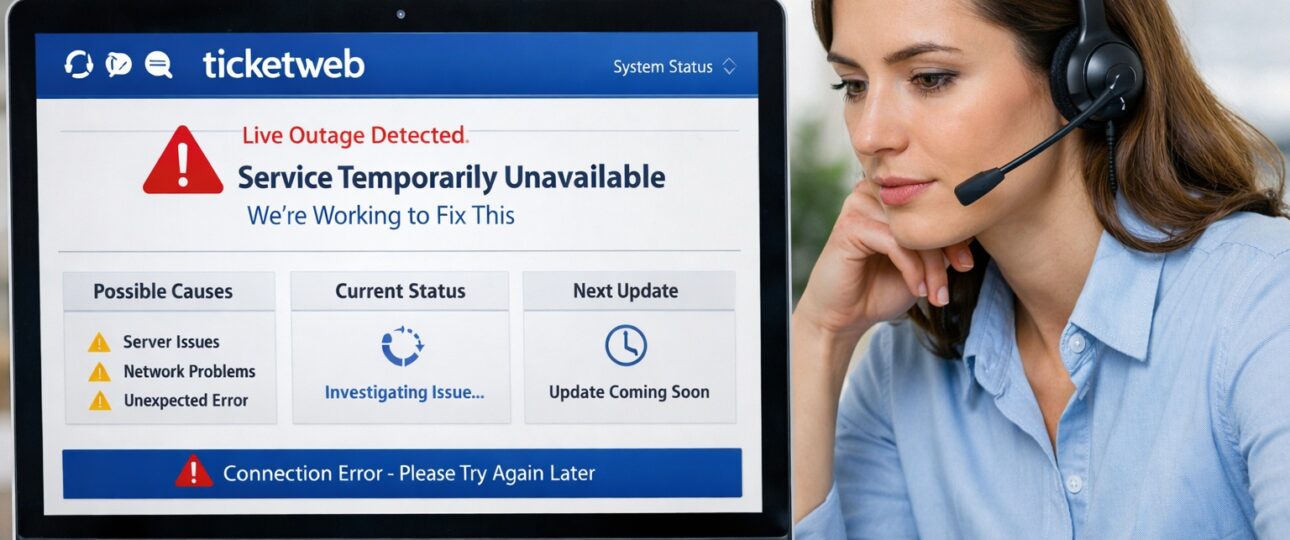
When Ticketweb stops working, it often happens at the worst possible moment. Users commonly run into problems during ticket releases, presales, or shortly before an event begins. Pages may fail to load, payments can stall, or tickets may disappear after checkout. These situations lead many users to urgently search for answers because demand is high and available inventory is limited.
This guide breaks down what causes these issues, how Ticketweb systems behave during disruptions, and the fastest ways to resolve common problems. It also explains outage timelines, payment processing behavior, and the safest actions to take when issues continue.
High-traffic ticketing platforms often experience slowdowns during major event launches due to sudden demand spikes. Systems prioritize stability and security during these periods, which can temporarily affect page loading, checkout flow, or account access until traffic normalizes.
Last Updated: February 2026
Is Ticketweb Down Right Now?
Ticketweb issues generally fall into two categories: system-wide outages and local user-side problems. Identifying which one applies helps determine the fastest solution.
System-wide outages
These occur when Ticketweb experiences broader technical disruptions, such as:
- Server overloads during high-demand ticket sales
- Scheduled maintenance or backend updates
- Payment gateway interruptions
- Integration issues with event or venue partners
During a platform-wide outage, many users report the same problems at the same time, including:
- Pages failing to load or timing out
- Checkout loops or sudden crashes
- Repeated login failures
- Error messages appearing across multiple devices
Local or regional issues
In some cases, Ticketweb works for others but fails on a specific device, browser, or network. This typically points to:
- Corrupt browser cache or stored data
- Network filtering or DNS-related issues
- App version conflicts
- Temporary account verification delays
How to tell the difference
A quick way to identify the source of the problem is to test Ticketweb using:
- A different browser
- A mobile device on cellular data
- Another user account
If the issue appears across all environments, it is likely a broader Ticketweb outage rather than a local problem.
How to Check Ticketweb Live Outage Status
To check the current Ticketweb outage status, look for sudden spikes in user reports across multiple regions or devices. If pages fail to load, checkout errors appear widely, and login issues occur at the same time, the issue is likely system-wide. Platform-wide disruptions usually resolve once traffic levels stabilize or backend services are restored.
Outage conditions typically update in short intervals as backend services recover, so availability can change gradually rather than instantly.
Common Reasons Ticketweb Is Not Working
Ticketweb issues rarely come from a single source. Multiple technical factors often overlap, especially during periods of heavy traffic or high-demand ticket sales.
Server overload during ticket releases
Major ticket launches can send thousands of users to the platform at the same time. When system capacity is stretched, users may experience:
- Pages loading slowly or failing to load entirely
- Session timers expiring earlier than expected
- Checkout processes stopping before completion
These problems usually ease once traffic levels return to normal.
Payment processing failures
Ticketweb payment authorization occurs in multiple stages. When one step does not complete successfully:
- Orders may appear as pending
- Funds can show as temporarily deducted
- Tickets remain unconfirmed in the account
Such failures are commonly linked to bank-side security checks or payment gateway delays.
Browser and cache conflicts
Saved browser data can interfere with updated site code, resulting in:
- Blank or white screens
- Endless loading indicators
- Buttons that do not respond
Clearing cached data often resolves these conflicts quickly.
App-related issues
Older app versions may struggle to adapt to backend changes, causing:
- Repeated login loops
- Tickets not appearing after purchase
- Mobile wallet syncing delays
Switching to the website or updating the app usually restores access.
Account or verification limits
Some accounts face temporary restrictions triggered by:
- Rapid or repeated login attempts
- Multiple failed payment submissions
- Automated security reviews
These limits typically lift after a short cooldown period.
Ticketweb Not Loading or Showing a Blank Page
A blank or white screen is one of the most common issues users face when Ticketweb is not working, especially during high-traffic periods.
Why this happens
This problem is usually caused by technical conflicts such as:
- A corrupt or outdated browser cache
- Script-blocking extensions that prevent pages from loading correctly
- Network or DNS-related issues
- Partial page rendering during sudden traffic spikes
How to fix it
Try the following steps in order:
- Clear your browser cache and cookies to remove outdated site data
- Temporarily disable ad blockers or script-filtering extensions
- Open Ticketweb in an incognito or private browsing window
- Switch to a different browser, such as Chrome, Edge, or Safari
- Change networks or use mobile data to rule out connection issues
Most blank page problems resolve within a few minutes once these steps are applied.
Ticketweb Checkout and Payment Errors
Checkout failures are the most stressful problems users face.
Common checkout issues
- “Something went wrong” error
- Payment failed message
- Order stuck on processing
- Charged but no confirmation
Why payments fail
Payment processing involves:
- Bank authorization
- Fraud screening
- Final capture
If any step stalls, the transaction does not complete.
What happens to deducted money
In most cases:
- Funds remain in a pending state
- Banks reverse the charge automatically
- Reversals appear within 3–7 business days
Users should avoid retrying payments repeatedly, as this increases security flags.
Ticketweb App Not Working vs Website Issues
The Ticketweb mobile app and website operate on different technical layers, which means issues can affect one platform while the other continues to work normally.
App-specific issues
The Ticketweb app can face problems due to:
- Required updates to maintain compatibility with system changes
- Slower syncing during outages or high-traffic periods
- Cached ticket data that does not refresh immediately
These factors can cause login errors, missing tickets, or delayed updates.
Website advantages
The browser-based version of Ticketweb offers:
- Faster updates during system changes
- Easier troubleshooting using browser tools
- Better stability during peak traffic and ticket launches
If the app is not working, accessing Ticketweb through a web browser often restores functionality until app issues are resolved.
How to Fix Ticketweb Issues Step-by-Step
Follow these steps in order for the fastest and safest resolution when Ticketweb is not working.
Step 1: Check for widespread issues
Start by checking recent reports of Ticketweb downtime or service disruptions. If many users are experiencing the same problem at the same time, the issue is likely platform-wide. In such cases, waiting for the system to stabilize is often more effective than repeatedly retrying.
Step 2: Refresh your session
Session-related errors are common during high traffic. Try resetting your session by:
- Logging out and logging back in
- Closing all open Ticketweb tabs or windows
- Restarting your browser completely
This helps clear expired sessions and reloads fresh site data.
Step 3: Clear cache and cookies
Cached files and stored cookies can conflict with updated site scripts, especially during active ticket sales. Clearing them removes outdated data that may prevent pages from loading or buttons from working correctly.
Step 4: Change browsers or devices
Switching to a different browser or device helps identify local issues. If Ticketweb works elsewhere, the problem is likely tied to your original browser, app, or device settings.
Step 5: Verify payment status
Before attempting another purchase, check your bank or card statement. If a charge appears as pending, allow time for it to resolve. Retrying too quickly can lead to duplicate charges or failed authorizations.
Step 6: Avoid repeated attempts
Repeated logins, refreshes, or payment retries can trigger temporary security limits. Pausing for a short time reduces the risk of account restrictions and increases the chance of a successful retry later.
How Long Ticketweb Outages Usually Last
Ticketweb outage duration varies based on the scale and cause of the issue. Most disruptions are temporary and resolve once system load or backend processes stabilize.
Minor disruptions
- Typically last 10 to 30 minutes
- Common during sudden traffic spikes, especially at the start of popular ticket sales
- Page loading issues or slow checkout are the usual symptoms
Moderate outages
- Usually last 1 to 3 hours
- Often linked to payment gateway delays or server-side processing problems
- Users may see pending orders, login failures, or repeated error messages
Major system failures
- Can last several hours
- Rare, but possible during major ticket launches or large-scale system updates
- Service is restored gradually as platform components come back online
Ticketweb generally restores access in stages rather than all at once, which means some features may return before others fully stabilize.
What to Do If Ticketweb Is Still Not Working
If problems continue after basic fixes:
- Wait at least 30 minutes before retrying
- Use a different device or network
- Avoid refreshing aggressively
- Monitor email for order updates
If payment was deducted:
- Do not place another order immediately
- Allow the pending transaction to resolve
Ticketweb Support and Escalation Options
When reaching out to Ticketweb customer service, being prepared helps resolve issues faster, especially during high-traffic periods or active ticket sales.
Information to keep ready
Having the following details available makes it easier for representatives to locate and review your case:
- Order number, if available
- Email address used during purchase
- Screenshot of the error message or issue
- Exact time and date when the problem occurred
How Ticketweb customer service can help
Once connected through the Ticketweb customer service phone number or official contact channels, their team can:
- Confirm the current status of your order or tickets
- Explain pending charges, failed payments, or reversals
- Reissue ticket access when technically possible
Providing accurate information upfront reduces back-and-forth and increases the chances of a quicker resolution.
The Bottom Line
Ticketweb issues feel urgent because tickets are time-sensitive. Most problems come from traffic overloads, payment processing delays, or local device conflicts. The best approach combines patience with structured troubleshooting.
If Ticketweb is not working today, avoid panic actions, follow the steps outlined above, and give systems time to stabilize. In most cases, access returns without permanent loss of tickets or funds.
These patterns reflect how large-scale ticketing systems behave under peak demand and security controls.
Why does Ticketweb stop working during ticket sales?
Ticketweb often experiences technical slowdowns during major ticket sales because thousands of users try to access the platform at the same time. High-demand events create sudden traffic spikes that place heavy load on servers, payment gateways, and session management systems. When this happens, users may see pages fail to load, carts expire unexpectedly, or checkout processes stall mid-way.
During these peak periods, Ticketweb prioritizes system stability, which can temporarily limit access or slow response times. These disruptions are usually short-lived and improve once traffic levels stabilize.
Can tickets disappear after checkout?
Yes, tickets can temporarily disappear after checkout, and this usually happens while the order is still processing in the background. After payment submission, Ticketweb needs to confirm bank authorization, finalize ticket allocation, and update the user account. During this window, tickets may not appear immediately in the account or confirmation email.
In most cases, tickets show up once processing completes. Refreshing repeatedly or placing another order during this phase can cause further delays or duplicate payment attempts, so waiting is the safest approach.
Is it safe to retry payment immediately?
Retrying payment immediately is not recommended. When a transaction fails or appears stuck, the payment may still be under review by the bank or payment processor. Submitting multiple payment attempts in quick succession increases the risk of duplicate charges and can trigger automated fraud prevention systems.
Waiting allows the original transaction to either complete or reverse naturally. Most payment issues resolve within a short time, and retrying later reduces the chance of account or card restrictions.
Why does the Ticketweb app fail but the website works?
The Ticketweb mobile app and website operate on different update cycles. Browser-based platforms receive real-time updates and patches, while mobile apps depend on app store releases. During system changes or traffic surges, the website often adapts faster than the app.
App issues commonly include login loops, missing tickets, or slow syncing. Switching to the website using a browser usually provides a more stable experience until the app update catches up.
How long do pending charges last?
Pending charges typically last a few business days. When a payment attempt does not fully complete, banks place a temporary hold on the amount instead of finalizing the charge. This hold is automatically released once the transaction expires or fails confirmation.
The exact timeline depends on the bank, but most pending charges disappear within three to seven business days. No action is usually required from the user unless the charge remains beyond that window.
Can Ticketweb lock accounts?
Yes, Ticketweb can apply temporary account restrictions to protect against suspicious activity. Repeated failed login attempts, multiple rapid payment retries, or unusual access patterns can trigger automated security systems.
These locks are usually temporary and lift automatically after a cooldown period. Avoiding repeated actions and allowing time between attempts helps prevent account limitations.
Recommended Ticketweb Post:
How to Add Ticketweb Tickets to Apple Wallet
How to Transfer Tickets on Ticketweb
TicketWeb Refund Policy
How to Find Your Ticketweb Order Number
Is Ticketweb the Same as Ticketmaster
How Does Ticketweb Work for Tickets, Sellers
How to Use Ticketweb Presale Code to Get Tickets
Sell tickets on TicketWeb
How to Remove Tickets and Passes from Apple Wallet