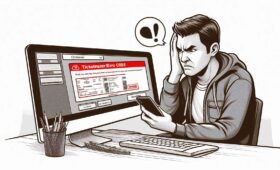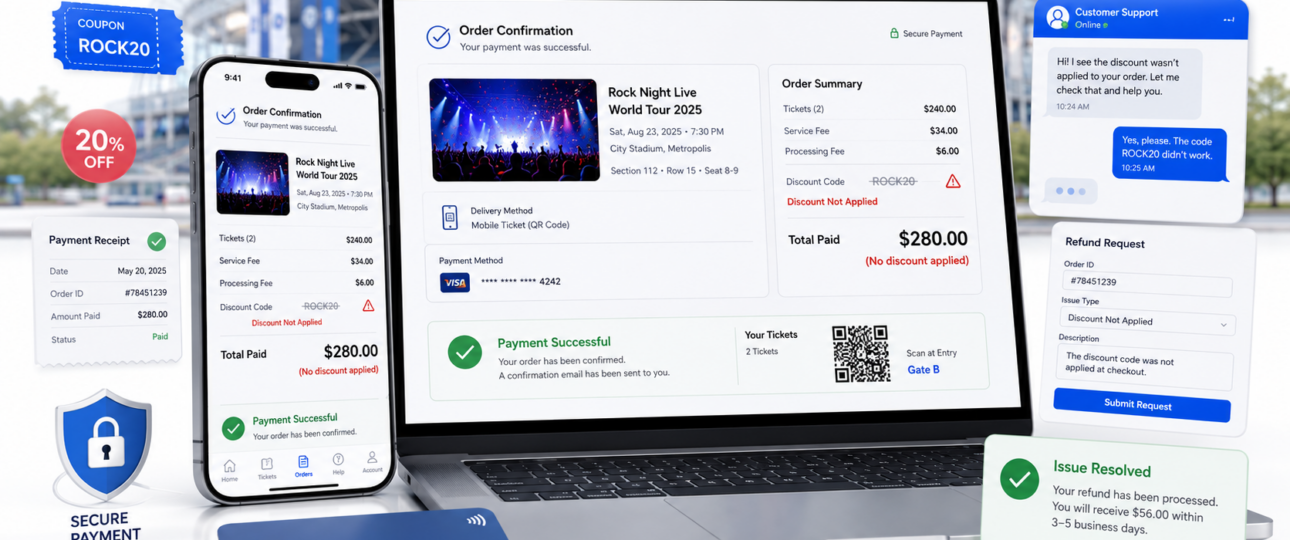
Booking tickets at a discounted price is always exciting, but the experience can quickly become frustrating when the Ticketmaster discount is not applied after payment. Many buyers complete their purchase expecting to receive the advertised savings, only to discover they were charged the full price. This issue can happen for several reasons, but in most cases, there are steps you can take to understand what went wrong and explore possible solutions.
A Ticketmaster discount not applied after payment can occur for several reasons: the promo code may have expired, the event could be excluded from the promotion, there may have been a technical glitch during checkout, or the payment was processed before the discount was fully confirmed. The good news is that there are clear steps you can take to understand what went wrong and potentially resolve the issue.
Why Was My Ticketmaster Discount Not Applied After Payment?
Before you contact anyone, it helps to understand the most common reasons a Ticketmaster promo code or discount does not show up in your final order.
- Promo code was invalid or already expired at the time of purchase.
- The event or ticket type was excluded from the promotional offer.
- The discount had limited availability and ran out before your checkout was completed.
- The minimum purchase requirement for the promotion was not met.
- The offer expired between the time you added tickets to your cart and when you submitted payment.
- A browser or app glitch caused the Ticketmaster checkout problem, clearing the applied code.
- The payment was processed before the discount was confirmed by the system.
Any one of these factors can lead to a Ticketmaster payment issue where you end up paying full price despite expecting a discount.
How to Verify If the Discount Was Actually Applied
Before concluding that something went wrong, take a few minutes to double-check your order. Here is how you can confirm your Ticketmaster discount not applied situation:
- Open your Ticketmaster order confirmation email and look for a discount line item in the price breakdown.
- Log in to your Ticketmaster account and navigate to your order history to review the purchase summary.
- Compare the total you paid against the original ticket price and the expected promotional offer amount.
- Check your payment receipt to see the exact charge that was processed.
- Look for any coupon, promo code, or promotional adjustment listed separately in the order details.
A missing discount line in your Ticketmaster order confirmation is usually the clearest sign that the promotion did not go through.
What to Do If Your Ticketmaster Discount Was Not Applied
Once you have confirmed the discount is missing, follow these steps to address the issue:
- Double-check the promotion’s terms and conditions to confirm the event and ticket type were eligible.
- Review your order confirmation carefully and note the total amount charged.
- Clear your browser cache or try the purchase on a different device to rule out a Ticketmaster checkout problem on your end.
- Take screenshots or save any evidence of the promotional offer, including the offer page and your final receipt.
- Contact Ticketmaster customer support with your order number, the discount details, and proof of the promotional offer.
- Ask the representative if the Ticketmaster promotional offer can still be honored or applied as a partial refund.
Acting quickly gives you a better chance of getting the issue reviewed before the event takes place.
Can Ticketmaster Refund the Missing Discount?
A Ticketmaster refund for a missing discount is possible in some cases, but it is not guaranteed. Here is what to keep in mind:
- Refunds and price adjustments depend entirely on the specific promotion’s terms and conditions.
- Some Ticketmaster promotional offers explicitly state they cannot be applied retroactively after payment.
- Ticketmaster customer support may review your case individually, especially if a technical error caused the issue.
- The final decision often depends on the event organizer’s policies rather than Ticketmaster alone.
Even if a full refund is not possible, it is worth contacting support, as some agents have the ability to apply account credits or make case-by-case adjustments.
Common Ticketmaster Discount Problems
You are not alone in dealing with Ticketmaster discount issues. These are some of the most frequently reported problems:
- Ticketmaster promo code accepted at checkout but no discount shown in the final total.
- Discount disappeared during checkout after being applied earlier in the process.
- The promotional offer expired between adding tickets to the cart and completing payment.
- Discount available on desktop but not reflecting correctly on the mobile app.
- A promotional banner displayed an incorrect discounted price during browsing.
- Payment completed at full price despite a valid Ticketmaster coupon not applied error being shown earlier.
These issues can often be traced back to timing, browser behavior, or eligibility restrictions in the fine print.
Tips to Avoid Discount Issues on Ticketmaster
A little preparation before you check out can save you a lot of headaches later. Keep these tips in mind:
- Read all promotional terms carefully before you start the checkout process.
- Apply your promo code before entering payment details so you can verify the discount is reflected in the total.
- Complete the checkout process quickly once a promotion is active to avoid it expiring mid-purchase.
- Avoid refreshing the Ticketmaster checkout page repeatedly, as this can remove an applied discount.
- Use a supported browser or the official Ticketmaster app for the most reliable checkout experience.
- Take a screenshot of any promotional offer or discount code before starting your purchase.
When Should You Contact Ticketmaster Support?
There are specific situations where reaching out to Ticketmaster customer support is clearly the right move:
- Your discount is missing even though you met all the promotional requirements.
- Payment was completed successfully, but you were charged the full price instead of the discounted amount.
- Your Ticketmaster order confirmation shows an incorrect final total.
- The promotional offer was displayed and applied during checkout but disappeared after payment was processed.
- A technical error or timeout occurred that may have prevented the discount from being applied.
When you contact support, have your order number, the name of the promotion, screenshots, and your payment confirmation ready. This speeds up the review process considerably.
The Bottom Line
A missing Ticketmaster discount after payment is frustrating, but it is often a solvable problem. The most common causes are promotion restrictions, checkout timing issues, or technical glitches — none of which are necessarily permanent.
Reviewing your order confirmation, gathering evidence of the promotional offer, and contacting Ticketmaster customer support promptly gives you the best chance of getting the issue resolved. Most importantly, always verify the final total before you complete payment and read the promotion’s terms carefully to avoid surprises. can you upgrade tickets bought through Ticketmaster deals
Your practical takeaway: save screenshots of any Ticketmaster promotional offer before purchasing, confirm the discount is applied in your cart total, and act fast if something looks off after payment goes through.
Frequently Asked Questions
Why was my Ticketmaster discount not applied after payment?
There are several possible reasons. The promo code may have expired, the event may be excluded from the promotion, limited availability may have run out before you completed checkout, or a technical glitch during the payment process may have removed the discount.
Can Ticketmaster refund a missed discount?
A refund for a missed discount is possible but not guaranteed. Ticketmaster customer support reviews these cases individually, and the outcome depends on the promotion’s terms and the event organizer’s policies. Contact support as soon as possible with your order details.
Why did my promo code disappear during checkout?
This is a known Ticketmaster checkout problem that can happen due to session timeouts, page refreshes, or browser compatibility issues. Always avoid refreshing the checkout page after applying a promo code, and use a stable browser connection.
Does Ticketmaster honor expired discounts?
Generally, Ticketmaster does not honor promotions that were expired at the time of purchase. However, you can contact customer support to explain the situation, especially if the code expired due to a system delay rather than your own timing.
Can I apply a promo code after completing payment?
In most cases, Ticketmaster promo codes cannot be applied retroactively after payment has been processed. This is why it is critical to verify the discount in your total before you submit your order.
How do I contact Ticketmaster about a missing discount?
You can reach Ticketmaster customer support through the Help Center on their website. Log in to your account, navigate to your order, and use the available contact options. Having your order number and promotion details ready will help speed up the process.
Why was I charged full price on Ticketmaster?
Being charged full price on Ticketmaster usually means the promo code was not applied successfully, the promotion expired before checkout was completed, or the event was excluded from the offer. Review your order confirmation and contact support if the charge appears incorrect.
Can browser issues prevent Ticketmaster discounts from applying?
Yes. Browser-related issues such as outdated cache, incompatible extensions, or session timeouts can interfere with discount applications during checkout. Clearing your cache, disabling browser extensions, or switching to the Ticketmaster app can help avoid these problems.