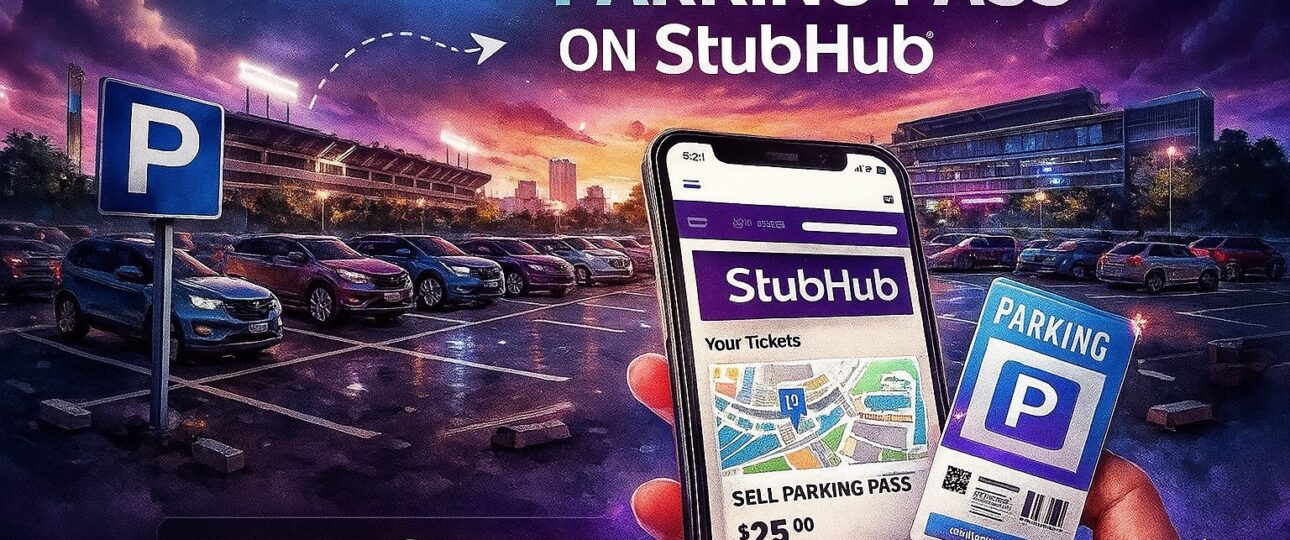
Selling parking passes on Stubhub is a convenient way to free up an extra spot you don’t need for an event while making money back at the same time. If you bought an additional pass by mistake, your plans changed, or you simply want to resell for profit, Stubhub gives you the option to list your pass quickly and securely. You also reach a large audience of buyers looking for event-day parking, making it the best place to learn how to sell parking pass on Stubhub successfully.
Why Sell Your Parking Pass on Stubhub?
Ticket holders often overlook the fact that parking passes can be resold just like event tickets. At popular venues, especially NFL stadiums, parking passes may even be harder to find than tickets themselves.
Here’s why Stubhub is a strong choice:
- Large buyer pool: Millions of fans use Stubhub regularly.
- Secure payments: Stubhub ensures payment processing is safe and reliable.
- Simple listing process: The platform walks you through each step with seller tools.
- Mobile-friendly: You can list or manage your parking pass on the website or in the Stubhub app.
For many sellers, knowing how to sell your parking pass on Stubhub can make the difference between unused paper in your glove compartment and real money in your bank account.
How to List Parking Passes on Stubhub (Step-by-Step)?
When you want to list parking passes on Stubhub, you need to use the official “PARKING PASSES ONLY” event page. This ensures that buyers searching specifically for parking will see your listing.
Here’s the process:
-
Go to the Stubhub home page and click “Sell.”
Once on the homepage, look for “Sell” in the top navigation bar. Select it to begin your listing.
-
Tell Stubhub what you’re selling.
Search for the event where your parking pass applies. For instance, if it’s for Dallas Cowboys vs. Philadelphia Eagles, type in the match and then find the “PARKING PASSES ONLY” listing for that event.
-
Sign in or create a Stubhub account.
If you already have an account, great — just sign in. If not, you’ll need to create a free account, which only takes a few minutes.
-
Enter details of your parking pass.
- Number of passes you’re selling
- Pass type (general admission lot, VIP, valet, etc.)
- Delivery method (usually electronic delivery is fastest and safest)
- Your asking price per pass
-
Add a valid credit card on file.
This is mandatory for all Stubhub sellers. It helps keep transactions safe and covers potential issues if something goes wrong with delivery.
-
Choose your payment method.
Stubhub allows payments via PayPal, direct deposit, or credit card (depending on your country and account setup).
-
Click “List my tickets.”
Once submitted, you’ll receive a confirmation email. Your parking pass is now live and available for buyers!
-
Manage your listings in the dashboard.
Visit your Stubhub Listings page to adjust prices, update information, or remove your listing if needed.
How to Sell Parking Passes Effectively?
While knowing how to sell a parking pass on Stubhub is useful, you still want your listing to actually sell. Parking demand varies based on the event, location, and lot. Here are some tried-and-true tips:
- Price competitively: Search the same event’s parking listings and price your pass slightly lower to stand out.
- Highlight the lot location: “Lot D across from Gate 3” will sell faster than a vague “General parking.”
- List early: Especially for NFL games, the earlier you list your pass, the higher your chances of selling at a better price.
- Be flexible: If your pass isn’t selling close to the event date, consider lowering the price to secure a buyer.
How to Sell Your NFL Parking Pass on Stubhub?
NFL games are among the most popular U.S. sporting events, and that includes the demand for parking. If you want to know how to sell NFL parking pass on Stubhub , the process is identical to selling concert or festival parking, but there are a few special considerations:
- NFL stadiums vary in lot access: Some passes are for premium tailgating lots, others are general lots further away. Explicitly mention which lot you’re selling.
- High-demand games sell out quickly: Rivalry games (like Packers vs. Bears) or playoff matches create extra demand, so list as soon as possible.
- Mobile transfer is key: Most teams and stadiums now issue mobile-only parking passes, which you can easily transfer through Stubhub ’s digital system.
A great listing title like “VIP Lot B, 50 yards from stadium entrance” with clear labeling will help your pass sell faster than simply saying “Event Parking.”
Selling Best Practices
When working on how to sell parking passes on Stubhub , there are a few habits that make the experience smoother:
- Double-check your lot and pass details before listing.
- Always use the official Stubhub communication channels — never attempt to transfer via personal email/text.
- Set realistic prices for quicker sales.
The Bottom Line
Knowing how to sell a parking pass on Stubhub can turn an unused asset into easy cash. The process is straightforward: create a listing through Stubhub ’s “PARKING PASSES ONLY” event page, provide your details, and let the marketplace connect you with a buyer. With competitive pricing and accurate lot descriptions, you’ll improve your chances of selling quickly. How to Sell Tickets on Stubhub
For concerts, festivals, or NFL games, Stubhub makes reselling your parking spot simple and safe. Next time you have an extra pass, don’t let it go to waste. Turn it into an opportunity. For More – Stubhub customer Service phone Number
FAQs
- Can I sell paper parking passes, or does it have to be electronic?
- Both are possible. However, electronic passes are most convenient. Stubhub will show you delivery options when you list.
- What if my parking pass doesn’t appear under my event’s name?
- Be sure you’ve selected the “PARKING PASSES ONLY” event page. If you can’t find your exact pass, contact Stubhub support.
- How do I know when my parking pass sells?
- You will receive an email and an app notification once your pass is purchased.
- How do I transfer my passes to the buyer?
- Delivery instructions will be provided once sold. Most electronic passes can be transferred instantly.
- Can I change my asking price?
- Log into your Listings page and edit your price any time before your pass sells.
- What happens if I can’t deliver the pass?
- Stubhub enforces seller guarantees. If you cannot fulfill your listing, Stubhub may source replacement passes for the buyer, and you could incur penalties.