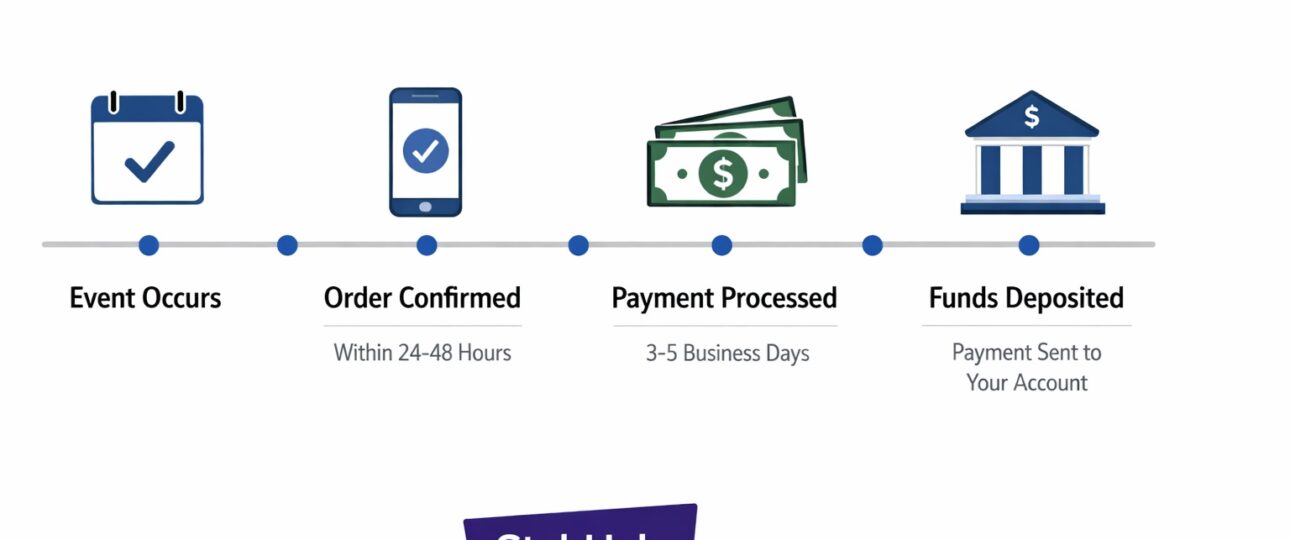
For the high-volume seller, cash flow is oxygen. When you list a hot ticket on StubHub, the clock starts ticking not just on the sale, but on the complex financial machinery that turns a confirmed transaction into liquid funds in your bank account. While the front-end user sees a simple “You have sold” notification, the backend initiates a multi-stage settlement process governed by fraud scoring, event verification, and banking rails. StubHub Payment Settlement Timeline
Relying on a generic “5–8 business days” estimate leaves money on the table and invites anxiety. This guide dissects the StubHub payment settlement timeline with the technical depth of a fintech analyst. We will map the entire lifecycle—from the buyer’s click to the final ACH deposit—and explain the logic behind every delay.
The Architecture of Trust: Why StubHub Holds Your Funds
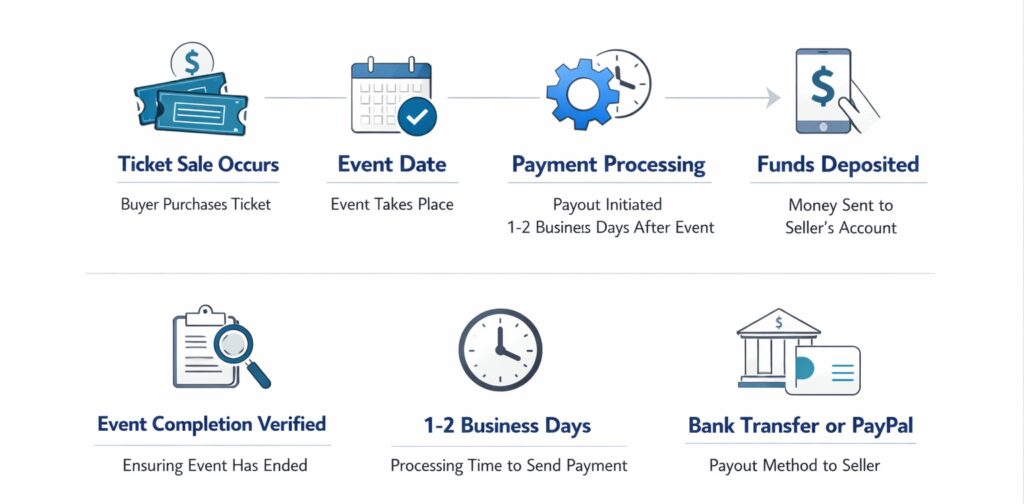
Before diving into the flowchart, you must understand the escrow logic. StubHub operates as a marketplace intermediary, not a merchant of record in the traditional sense regarding the ticket value. They collect the buyer’s funds immediately, but they hold them in a merchant account (effectively a regulated escrow or custodial account) until the event occurs.
This mechanism protects the buyer. By holding the funds past the event date, StubHub ensures the tickets were valid and granted entry. For the seller, this creates a mandatory holding period that is non-negotiable, even if you transfer the tickets months in advance.
The Technical Payment Lifecycle: From Click to Cash
To understand the StubHub seller payment workflow, you must visualize it as a pipeline with five distinct gates. If any gate flags an issue, the payout timer resets or halts.
1. Order Confirmation and Immediate Fraud Check (T+0)
The moment a buyer clicks “Buy Now,” the system does not immediately notify the seller to transfer tickets. Instead, it runs the buyer’s payment through a gateway risk scoring system.
- Authorization Hold:The buyer’s card is authorized to ensure funds are available.
- Velocity Check:The system checks if the buyer account is legitimate or a bot.
- Seller Notification:Only after passing this initial screen does StubHub send you the “You Sold” email. Your “Paid” status in the portal remains Pending.
2. Ticket Delivery and Verification Window
Once notified, you must transfer the tickets via the specified method (mobile transfer, PDF upload, etc.). This triggers a backend verification timestamp. However, this does not start the payout clock for the money; it merely confirms you fulfilled your side of the delivery obligation.
3. Risk Mitigation and Chargeback Buffer
This is the most technically opaque part of the StubHub payment processing system. From the moment you deliver the tickets until approximately 72 hours post-event, the funds sit in a “buffer zone.”
- Buyer Confirmation:The system waits to see if the buyer files a “Ticket Issues” claim.
- Chargeback Risk:If a buyer uses a credit card, they have a window to dispute the charge with their bank. StubHub holds the funds to cover this “chargeback risk” internally rather than pulling funds back from you later.
4. Event Completion Trigger (The Zero Hour)
The event date is the master clock. The countdown for payout processing does not begin until the event date has passed. This is a critical distinction: selling tickets to a concert on January 1st for an event on June 1st means your funds are held for five months, not five days.
5. Payout Release and Bank Rails (T+5 to T+8 Business Days)
Once the event passes without incident, the transaction moves from “Pending” to Processing. The system batches the payout. The “StubHub payout processing time” officially starts now. StubHub initiates the batch transfer to their payment processor (ACH network, PayPal API, or Hyperwallet for international), which takes an additional 3 to 5 business days to land in your account.
StubHub Settlement Process Flowchart (Text-Based)
Visualize the logic gate sequence below. This is the decision tree the StubHub backend runs for every transaction.
Start: Buyer purchases ticket.
Gate A: Buyer Payment Verification
-
- Fail: Order cancelled. Seller notified. No hold.
- Pass: Proceed to Gate B.
Gate B: Seller Ticket Delivery
- Deadline: Seller fails to deliver/upload proof.
- Result: Order cancelled, potential seller penalty/charge.
- Success: Tickets delivered. Status = “Awaiting Event.”
Gate C: The Event Date
- Condition: Has the event date occurred?
- No: System holds funds. Loop back daily.
- Yes: Proceed to Gate D.
Gate D: Post-Event Verification Window (Days 1–3 post-event)
- Condition: Buyer reports issue? (Invalid tickets, etc.)
- Yes: Payment hold extended for investigation.
- No/Unresolved: Release hold. Proceed to Gate E.
Gate E: Payout Batching (T+3 to T+5 post-event)
- System aggregates seller earnings.
- Funds sent to payment processor (ACH/PayPal).
Gate F: Bank Processing (T+5 to T+8 post-event)
- ACH: 3–5 business days.
- PayPal: Instant to 24 hours (depending on hold).
End: Funds deposited.
Backend Mechanics: The “Why” Behind the Wait
1. Payment Gateway Integration and Currency Logic
StubHub’s architecture uses region-specific payout rails. For US sellers, it relies on the ACH network, which is batch-processed and does not move money on weekends or bank holidays. For international sellers (StubHub International), the platform utilizes Hyperwallet, a payout orchestration platform that handles currency conversion and local bank transfers.
2. The Escrow Model Logic
Technically, StubHub is not just transferring your profit; they are settling the gross ticket price minus commission. Because they charge the buyer immediately, they hold that full amount. If a seller’s bank details are incorrect, the funds bounce back to StubHub’s escrow account, where they sit for a 30-day security period before reissuance.
3. Risk Scoring System
High-value tickets or newly registered sellers often trigger manual reviews. The algorithm looks for “friendly fraud” risk—situations where a seller might try to sell the same PDF twice. If the risk score hits a threshold, the payout is flagged for manual approval, adding 3–5 business days to the timeline.
StubHub Payout Delay Reasons (Technical Breakdown)
Even with a perfect sale, payouts fail. Here is the technical triage list:
-
Taxpayer Identification Number (TIN) Mismatch (US Only)
As of January 1, 2025, IRS regulations require StubHub to withhold 24% of payments if a seller lacks a valid TIN on file. The system checks the TIN against IRS databases. If it fails verification, the payout engine halts.
-
Proof of Transfer Required (Mobile Tickets)
For mobile transfer tickets (e.g., Ticketmaster transfers), the system often cannot digitally verify you sent them. An email trigger requests a screenshot upload. The StubHub payout processing time pauses until a human support agent validates the screenshot metadata.
-
ACH Return Codes (Bank Account Issues)
When you update your bank details, StubHub initiates a micro-deposit verification process. If you enter a wrong routing number, the ACH returns the payment with a code (e.g., R04 – Invalid Account Number). StubHub receives this return notification usually 3 business days after initiation, cancels the payout, and waits for you to correct it.
-
PayPal Email Verification Holds
The PayPal system is strict regarding email domains. If the email in your StubHub settings is not “Confirmed” in PayPal, PayPal rejects the payment instantly. The funds are returned to StubHub (which can take 48 hours to reflect), and the payout is marked “Unclaimed”.
Timeline Comparison by Delivery and Payment Method
The format of your ticket drastically alters the technical path to payment.
| Ticket Type / Method | Standard Timeline (Post-Event) | Technical Bottleneck |
| Instant Download/PDF | 5–8 Business Days | Low risk; automated verification if barcode scans. |
| Mobile Transfer | 5–8 Business Days + Potential Delay | High delay risk; requires manual screenshot review if auto-verification fails. |
| Physical Shipping | Release upon delivery confirmation + 5–8 days | Tracking ID verification; risk of lost mail holds. |
| ACH / Direct Deposit (US) | 3–5 Business Days | Batch processing; Weekend/Holiday blackouts . |
| PayPal | 24–48 Hours | Usually faster, but susceptible to “Unclaimed” status if email mismatch. |
| International Wire | 5–10 Business Days | Currency conversion latency; intermediary bank fees. |
Real-World Payout Scenarios
-
Scenario A: The Perfect Sale
Action: You sell a mobile transfer ticket 2 months early, transfer immediately.
Result: Event happens on a Friday. Payout status changes to “Processing” Monday. StubHub batches payout Tuesday. Funds hit your bank via ACH on Thursday (T+4 Business Days).
-
Scenario B: The Proof Hold
Action: You sell a mobile transfer but forget to mark it “Transferred” in the UI.
Result: StubHub emails 48 hours later requesting proof. You upload Sunday. Support reviews Monday. Payment releases Wednesday (T+6 Business Days, effectively a 3-day delay).
-
Scenario C: The Failed ACH
Action: You closed your bank account but forgot to update StubHub.
Result: Payout initiates, bounces back in 3 days. StubHub flags account. You update details. Funds are reissued in the next payout batch (13-day delay minimum).
Advanced Seller Optimization: How to Shorten Your Timeline
You cannot bypass the event hold, but you can eliminate friction to ensure you hit the first payout batch.
-
Pre-Validation of Payment Methods
Do not wait for a sale to verify your PayPal or bank account. Ensure your PayPal email is confirmed and your bank accepts ACH (most do, but credit unions sometimes have holds). Check that your currency matches the listing currency.
-
Immediate Fulfillment with Metadata
When transferring tickets, use the exact email the buyer provides. If required, upload proof of transfer immediately after sending, not when StubHub asks. Screenshots should include the buyer’s email and the transfer confirmation to satisfy the risk scoring system’s OCR (Optical Character Recognition) checks.
-
TIN Compliance
For US sellers, complete the tax interview immediately upon listing. A “Pending TIN” status is a hard stop for the payment engine.
-
Monitor Payment Status
Navigate to Payments > Payment History. Understand the status codes:
- Pending:Sale not delivered.
- Processing:Delivered, waiting for event. (Good standing).
- Paid:StubHub has released to bank.
- Cancelled:Do not relist; investigate why.
The Bottom Line
The StubHub payment settlement timeline is a finely tuned engine balancing seller payout speed against buyer fraud protection. By understanding the technical flowchart—from the initial risk screen to the final ACH batch—you can diagnose delays before they happen. The platform’s logic is simple: funds only flow when trust is verified. StubHub settlement
For the professional seller, this means treating the post-event window not as a waiting period, but as a final checklist. Validate your bank details, respond to proof requests instantly, and respect the 2025 tax compliance deadlines. Master these technical gates, and you master your cash flow. StubHub Customer Service Number
FAQs
-
How long does StubHub take to pay sellers after an event?
Typically, payouts are processed within 5 to 8 business days after the event. This includes StubHub’s internal processing time and the time it takes for the funds to clear through the banking system.
-
Why is my StubHub payout delayed even though the event passed?
Delays are usually caused by pending verification steps: the need for proof of transfer, incorrect bank account details, an unclaimed PayPal email, or missing tax information. High-risk sales may also trigger a manual security review.
-
Does StubHub pay instantly via PayPal?
No, StubHub does not offer instant payouts. Even with PayPal, the funds are held until after the event. Once released by StubHub, PayPal processes the transaction, which is usually faster than ACH (often within 24 hours), provided the email address is verified and the payment is not placed on hold by PayPal.
-
What happens if a buyer claims their tickets didn’t work?
If a buyer files an issue, StubHub’s FanProtect Guarantee initiates a hold on your payout. The funds remain in escrow while StubHub investigates. If the claim is valid, they may use the held funds to procure replacement tickets for the buyer or issue a refund, meaning you will not get paid.
-
Why do I have to give StubHub a credit card to sell tickets?
This is part of the penalty logic within their payment system. If you fail to deliver tickets or deliver invalid tickets, StubHub must find replacements, often at a higher cost. The credit card on file serves as a guarantee that they can charge you for these replacement costs rather than deducting it from your future sales.