Submitting a complaint to Stubhub requires a clear understanding of how the platform handles customer issues, what communication channels are available, and how to escalate if the resolution is unsatisfactory. Using the right steps to Stubhub submit a complaint helps you address concerns effectively and get faster support.
Stubhub’s Complaint Framework
Stubhub is one of the leading online ticket resale platforms, connecting buyers and sellers for concerts, sports events, and theater performances. While most transactions happen smoothly, situations may arise when tickets are invalid, undelivered, or misleading in description. In such cases, the Stubhub submit a complaint process ensures that users can get proper redress through customer support.
Stubhub’s approach to handling customer dissatisfaction revolves around troubleshooting through support channels before formal escalation. Their FanProtect Guarantee promises ticket authenticity and timely delivery, meaning if you face issues where your tickets are fake, delayed, or not as advertised, you are entitled to compensation or replacement.
When to Use Stubhub’s Complaint Service
Before initiating Stubhub submit a complaint, determine whether your issue qualifies as one of the following:
- You did not receive your tickets before the event.
- You were given incorrect or invalid tickets.
- You received obstructed or misrepresented seats.
- A seller failed to deliver tickets altogether.
- You encountered double charges or non-refunded cancellations.
Stubhub processes these issues under its FanProtect policy. If your situation meets these criteria, you should immediately submit a complaint so that customer service can investigate.
How to Submit a Complaint on Stubhub
The official Stubhub submit a complaint process follows a few easy steps:
- Log into your Stubhub account: Go to the “My Orders” section to locate the ticket purchase associated with your complaint.
- Select the relevant order: Choose the order with which you have an issue and click on the contact or “Get Help” button.
- Explain your problem clearly: Use the provided form to describe the issue in detail, attaching any ticket screenshots or event proof if required.
- Submit the complaint: After reviewing your explanation, hit the “Submit” button to send your issue to Stubhub’s support system.
- Check your email regularly: Stubhub’s team will respond through email within a few business days with a resolution or further action steps.
Contact Options for Submitting Complaints
If you prefer to reach out manually, Stubhub provides several ways to submit a complaint outside the website interface.
-
Stubhub Chat and Email
You can access the chat feature directly from their support hub. For detailed documentation, email [email protected], which is their dedicated complaint and inquiry address. This channel is best suited for complex case explanations where you can attach screenshots or supporting files.
-
Stubhub Phone Support
Customers can call at Stubhub phone number (1-888-664-9935), available between 5:00 AM and 9:00 PM Pacific Time, seven days a week. This line connects you to live representatives who can guide you through the complaint process or escalate your case.
-
Stubhub Notice of Dispute
For unresolved complaints, Stubhub offers a formal dispute submission through a Notice of Dispute form. This document should be mailed to Stubhub’s Litigation Department address printed on the form, serving as the prerequisite before arbitration or further legal action.
Common Scenarios and How Stubhub Addresses Them
Let’s look at common user complaints and what typically happens after you Stubhub submit a complaint.
-
Ticket Not Delivered
Stubhub’s system verifies delivery through the platform’s internal records. If your tickets are not received before the event, you will either get replacement tickets or a refund under the FanProtect Guarantee.
-
Invalid Tickets at the Venue
If your tickets do not scan at the gate, you are encouraged to contact Stubhub immediately from the venue. The company may provide replacements or refunds based on verification.
-
Event Cancellation or Postponement
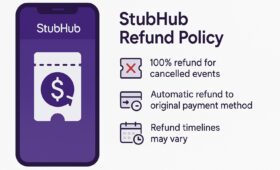
Stubhub automatically processes refunds for canceled events within 10 business days. For postponed events, the original tickets usually remain valid, but complaints can be made if uncertainty arises.
-
Ineffective Seller Communication
If sellers are unresponsive regarding delivery or listing updates, Stubhub intervenes and may suspend their account after reviewing your complaint.
Escalating Your Complaint beyond Stubhub
If your issue remains unresolved after multiple communication attempts, additional options are available:
-
Better Business Bureau (BBB)
Customers often escalate issues through the BBB where Stubhub maintains a business profile with complaint history.
-
Resolver Platform
Resolver provides an independent complaint management system for Stubhub, allowing you to document all correspondence in one place and escalate to regulators if necessary.
-
Arbitration via AAA
If Stubhub fails to respond within the required time after you submit the Notice of Dispute, you can file for arbitration with the American Arbitration Association using the Consumer Arbitration Rules form.
Best Practices for Crafting a Successful Complaint
Submitting a complaint that leads to timely resolution requires clarity and structure. When using the Stubhub submit a complaint feature or emailing customer support, keep these points in mind:
- Be concise and factual: Describe what happened, when it occurred, and what outcomes you expect.
- Attach documentation: Include order confirmations, receipts, and communication history.
- Maintain professionalism: Avoid aggressive language; clear communication encourages faster resolutions.
- Follow up regularly: Track your case number and maintain consistent communication until resolved.
Stubhub’s Policy and Guarantee
The FanProtect Guarantee outlines the full scope of ticket protection for both buyers and sellers. It assures:
- Every order is protected until the event concludes.
- Replacement tickets or refunds are issued if ticket delivery fails.
- Sellers receive payments only after ticket validation and successful event attendance.
When customers formally submit a complaint, Stubhub references this guarantee to assess their eligibility for refunds or credits.
How Stubhub Tracks Complaint Progress
Once you Stubhub submit a complaint, the company issues a case ID or tracks your concern through your purchase record. You can log into your account dashboard anytime to check for updates or responses. Stubhub’s complaint resolution usually concludes within 10 business days unless complex financial dispute investigations are involved.
According to the BBB listing, common themes of complaints include delayed refunds after cancellations and misrepresented seat views. Many have been resolved through direct negotiation, while others required external escalation. This underlines why users should immediately submit a complaint through Stubhub’s official platform rather than waiting for automatic resolutions.
In Resolver’s system, ticket delivery issues and transaction disputes are the top two complaint categories. The structured approach helps customers keep track of communication and deadlines effectively.
The Bottom Line
Raising a complaint through Stubhub is structured and transparent if you follow the right steps. From logging into your account and choosing the “Get Help” option to escalating through Resolver or arbitration, the entire Stubhub submit a complaint process is designed to ensure consumer protection and accountability.