
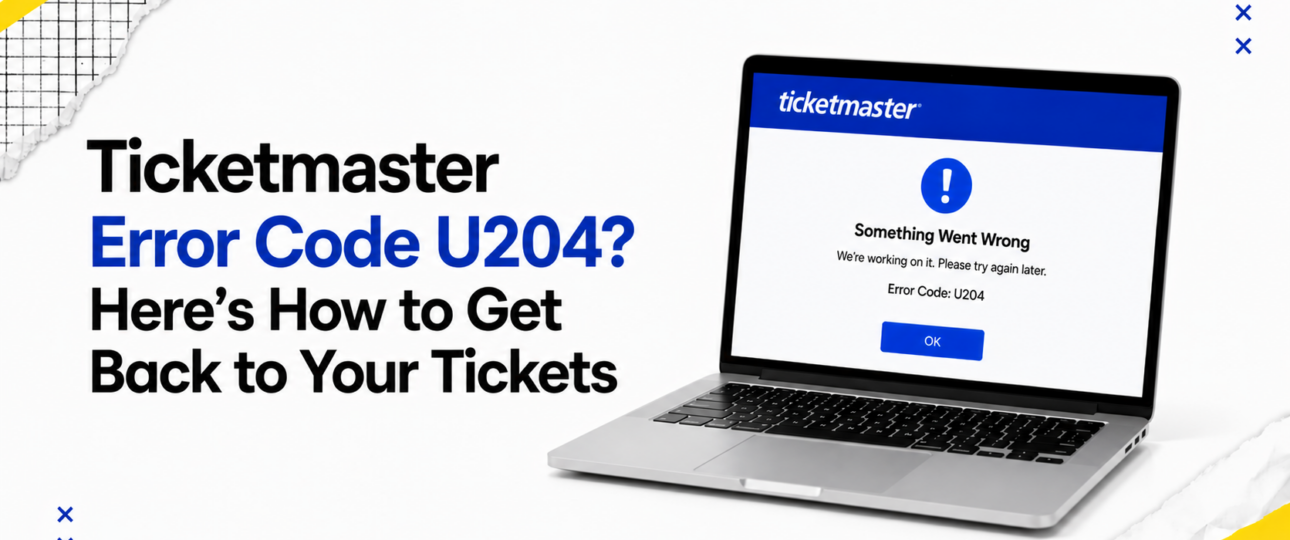
Ticketmaster, like most large ticketing platforms, uses internal error codes to flag problems without exposing the technical detail behind them. Ticketmaster error code U204 falls into this category. Its precise cause is not publicly documented, and Ticketmaster has not released a technical breakdown of what triggers this specific code.
What can be said with confidence is broader. Errors displayed during checkout on high-traffic platforms are generally tied to session handling, browser behaviour, account verification, or momentary server load. A session might expire while a payment is processing. A browser tab might lose its connection to the server mid-request. Account verification checks can occasionally interrupt a transaction that would otherwise complete normally.
None of this points to one single cause for U204. Instead, the error reflects a breakdown somewhere in the chain between your browser and Ticketmaster’s servers. Recognising this helps set expectations: the goal is not to diagnose the exact technical fault, but to work through a logical set of checks that resolve the vast majority of similar booking interruptions.
The First Five Minutes After Seeing the Error
The instinct to refresh repeatedly or reopen the booking page multiple times is common, but it can create more confusion than it solves. Before attempting any fix, a short pause and a few checks will save time later.
- Resist the urge to hit refresh immediately — repeated refreshing can trigger a new session request while the previous one is still processing, sometimes duplicating queue entries or resetting your position
- Check your email for a confirmation message — payment systems occasionally process a transaction successfully even when the confirmation screen fails to load
- Review your bank or card statement for a pending charge — a pending authorisation suggests the payment attempt reached Ticketmaster’s system
- Log into your Ticketmaster account directly to check your order history — this shows straight away if the booking went through, avoiding guesswork
- Confirm your session is still active by opening the site in a new tab, rather than relying on the frozen page
These checks matter because they establish what actually happened before you decide on a course of action. Retrying a purchase that already succeeded can result in duplicate tickets or an unnecessary second charge, so confirming the outcome first is worth the extra minute. Ticketmaster Error Code U202
Understanding Where the Process Broke Down
A ticket purchase moves through several distinct stages, and knowing which stage was active when U204 appeared helps narrow down the likely cause.
- Signing in: an interruption here usually relates to account verification or a browser issue preventing the login request from completing.
- Joining the queue: errors at this stage often stem from high traffic volumes during popular on-sales, when many users are competing for a limited queue position.
- Choosing seats: a fault while selecting seats can indicate a session timing out, particularly on slower connections where seat maps take longer to load.
- Reviewing the basket: an error at checkout review is frequently linked to items expiring in the basket after the allotted hold time passes.
- Completing payment: this is the most sensitive stage, where card verification, session expiry, and payment gateway communication all intersect.
- Receiving confirmation: an error after payment submission but before confirmation is the most stressful scenario, and it is precisely why checking your email and order history matters so much.
Identifying the stage narrows down which recovery strategy is worth trying first, rather than working through every possible fix at random. Ticketmaster Error Code U118
Smart Ways to Recover Your Booking Session
Recovery works best as a structured process rather than a scattered set of attempts. The strategies below are ordered from the least disruptive to the most involved.
Refresh the Session
Close the tab entirely rather than reloading it, then navigate back to Ticketmaster fresh. This clears a stalled session without triggering the repeated-request problem that comes from refreshing in place. Use this first when the error appears without any obvious pattern.
Rebuild the Browser Session
Clear cookies and cached data for the Ticketmaster site specifically, rather than your entire browser history. This forces a clean session on your next visit and resolves errors tied to stale session tokens. This step helps most after a booking attempt that failed more than once in the same browsing session.
Verify Your Account
Log in separately, outside the booking flow, and confirm your account details and saved payment method are current. Account verification issues can interrupt checkout before you reach payment, so confirming your account is in good standing removes one variable.
Eliminate Device-Related Problems
Test the booking on a different device where practical, such as switching from a phone to a laptop. Device-specific quirks, particularly on older phone browsers, can contribute to checkout interruptions that a newer device avoids entirely.
Resolve Network Issues
A wired or stable Wi-Fi connection reduces the chance of a dropped request mid-transaction. Switching from public Wi-Fi to a personal connection is worth doing before a high-demand sale, not only after an error appears.
Remove Browser Conflicts
Ad blockers, script blockers, and certain privacy extensions can interfere with the scripts Ticketmaster’s checkout relies on. Disabling extensions temporarily, or trying an incognito window, isolates this as a possible cause quickly.
Retry the Purchase Safely
Once the above checks are complete, and you have confirmed no duplicate order exists, retrying the purchase in a fresh session is reasonable. Keep the process unhurried, since rushing back into a queue increases the odds of repeating the same error.
Contact Ticketmaster Support
When repeated attempts fail, or a payment appears to have been taken without a corresponding order, reaching out to Ticketmaster’s Customer Service team directly is the appropriate next step. Support can check order status on their end in a way that is not visible from the customer side.
Signs the Problem Is Bigger Than Your Device
Sometimes the fault has nothing to do with your browser, connection, or account. Recognising these situations avoids wasted troubleshooting time.
- Major ticket launches for high-demand artists or events place enormous simultaneous load on booking systems, and brief errors during these windows are common across the platform, not isolated to one user
- Scheduled website maintenance can interrupt checkout mid-process, and Ticketmaster typically communicates planned maintenance windows in advance through its status channels
- Unexpected server interruptions occur occasionally on any large platform, and these tend to resolve within a short period without requiring user action
- Queue management systems, designed to handle high traffic fairly, can occasionally reset a position or produce an error when the queue itself is under heavy strain
- Temporary platform slowdowns, distinct from a full outage, show up as delayed page loads or stalled requests across many users at once rather than a single browser
A quick way to check for widespread issues is glancing at social media mentions of Ticketmaster around the time of the error, or checking a third-party status page, since a shared problem usually generates visible chatter within minutes. Ticketmaster Error Code U004
Building Better Booking Habits
Preparing in advance reduces the odds of hitting U204, or any similar error, during a future sale.
- Set up your account and confirm your payment details days before a sale begins, rather than in the minutes before it opens
- Keep your browser updated to the latest version, since outdated browsers are more prone to compatibility issues with modern checkout scripts
- Stick to a single browser tab and session throughout the booking process, avoiding the temptation to open the sale in multiple tabs at once
- Save a verified payment method to your account ahead of time, reducing the number of steps required during a fast-moving checkout
- Test your internet connection beforehand, particularly for high-demand sales where every second in the queue counts
- Disable unnecessary browser extensions before a major on-sale, keeping your session as lightweight as possible during checkout
These habits will not eliminate every possible error, but they remove several of the most common contributing factors before a sale even begins.
Wrapping It Up!
Ticketmaster Error Code U204 interrupts a booking without much explanation, and that lack of detail is what makes it feel more serious than it usually is. Working through the experience in order, confirming what already happened, understanding which stage the error interrupted, and applying the right recovery strategy resolves most cases without further complication. Approaching the situation methodically, rather than repeating the same attempt under pressure, gives you the best chance of completing your booking and getting back to looking forward to the event itself.
Frequently Asked Questions
What does Ticketmaster Error Code U204 usually indicate?
It typically points to a session, browser, or connectivity issue during the booking process, rather than a specific documented technical fault.
Can I still complete my purchase after seeing U204?
In many cases, yes. Checking your order history and confirmation email first shows if the purchase already went through, before retrying anything else.
Should I refresh the page immediately?
Closing the tab and starting a fresh session works better than refreshing in place, which can sometimes duplicate a queue request.
Does U204 mean my payment failed?
Not necessarily. A pending charge on your statement suggests the payment reached Ticketmaster’s system, so this is worth checking before assuming the payment failed.
Can browser extensions trigger the error?
Extensions such as ad blockers and script blockers can interfere with checkout scripts, so disabling them or using an incognito window is a reasonable troubleshooting step.
Is the issue related to Ticketmaster servers?
It can be, particularly during major on-sales or scheduled maintenance windows, when server load is significantly higher than usual.
Should I try another device?
Switching devices helps isolate device-specific problems, particularly on older phone browsers, and is a useful step when other checks have not resolved the error.
Can VPN usage cause U204?
A VPN can interfere with session handling and location-based checks during checkout, so disabling it before a purchase attempt is worth doing.
How long should I wait before retrying?
A short pause of a few minutes allows any stalled session or temporary server issue to clear before a fresh attempt.
When is it time to contact Ticketmaster Support?
Once repeated attempts fail, or a payment appears to have been taken without a matching order appearing in your account, contacting Ticketmaster support directly is the appropriate next step.
What information should I have ready when contacting support?
Your account email, the approximate time of the error, and any confirmation of a pending charge will help support locate the transaction quickly.
Will retrying too many times cause further errors?
Repeated rapid attempts can create multiple queue entries or session conflicts, so spacing out attempts is more effective than retrying continuously.