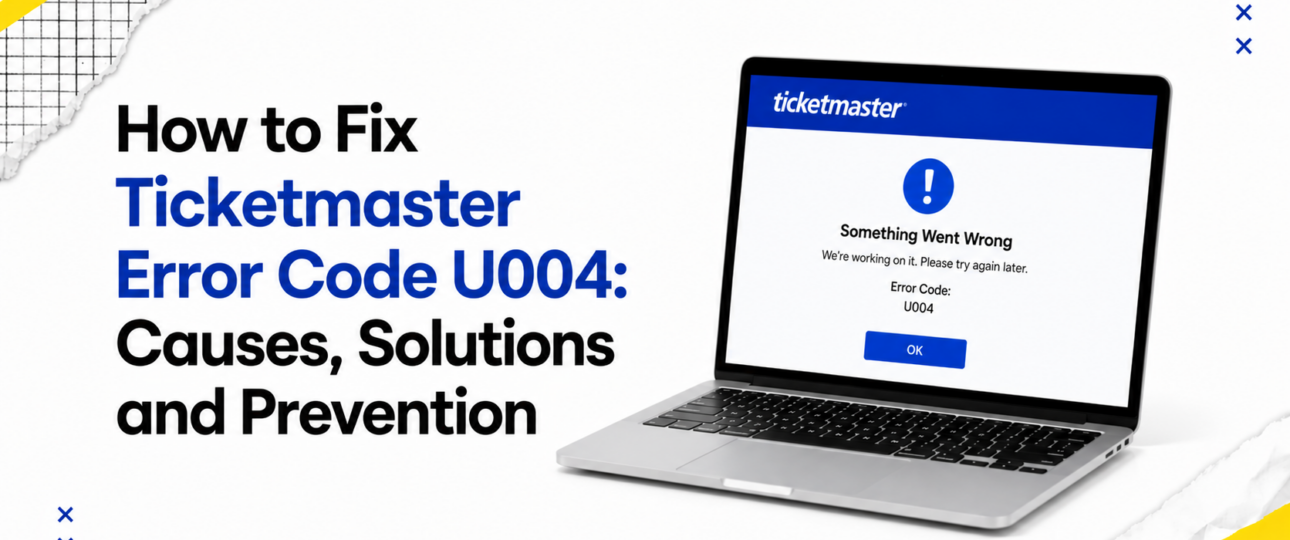
The Ticketmaster error code U004 generally points to a disruption somewhere in the connection between a user’s browser or app and Ticketmaster’s servers. It tends to appear during moments of high activity, such as checkout, login, or account verification, when the platform’s systems are processing a large volume of requests at once. Users are most likely to encounter it when demand for tickets is exceptionally high, during a presale window, or when a browser session has become unstable.
The exact technical trigger behind any individual instance of U004 is not publicly documented by Ticketmaster in detail, so it is worth treating the message as a general signal that something in the current session needs to be refreshed or reset, rather than assuming a single specific cause. Establishing the underlying reason before attempting a fix — a slow connection, a browser conflict, or a temporary server-side issue — helps avoid repeating the same ineffective step several times in a row.
Situations That Can Trigger Error Code U004
A number of scenarios have been associated with this type of error message:
- Temporary service interruptions: Short-lived outages or maintenance windows on Ticketmaster’s end can interrupt a session mid-process.
- Browser session issues: A session that has been open for an extended period, or one that has lost its connection to the server, can produce this error.
- Login authentication problems: An expired login token or a session that has not refreshed correctly can block progress at checkout.
- Payment processing interruptions: A delay or timeout while payment details are being verified can surface as an error code.
- Device compatibility: Older devices or outdated operating systems occasionally struggle to complete the checkout process smoothly.
- Browser extensions interfering with the website: Ad blockers, script blockers, and privacy extensions can prevent parts of the page from loading correctly.
- High-demand ticket releases: Extremely high traffic during a popular on-sale event puts additional strain on the checkout process.
- Network instability: A weak or fluctuating internet connection can cause requests to fail partway through.
- Security checks: Automated fraud-prevention or bot-detection systems sometimes interrupt a session to verify a user is genuine.
Recognizing which of these situations applies to a particular moment makes the troubleshooting process considerably faster.
Practical Solutions to Resolve Ticketmaster Error Code U004
The following steps are listed from the simplest to the more involved, and working through them in order tends to produce the quickest result.
- Refresh the webpage: A single refresh often resolves a temporary loading issue and restores the checkout flow.
- Start a new browser session: Closing the browser entirely and reopening it clears any lingering session data that may be causing conflicts.
- Clear browsing data: Cached files and cookies connected to a previous visit can interfere with a new session, and clearing them creates a clean slate.
- Switch browsers: Moving to a different browser rules out an issue specific to one particular application.
- Try another device: A different device removes any device-specific settings or compatibility issues from the equation.
- Check internet connectivity: A quick speed test or a switch to a more stable connection can prevent requests from timing out.
- Update the Ticketmaster application: Running an outdated version of the app can lead to compatibility errors, so installing the latest update is worthwhile.
- Disable VPN or proxy services: These tools can sometimes trigger security checks that interrupt checkout, and turning them off temporarily often helps.
- Verify account details: Confirming that login credentials, saved payment methods, and contact information are current reduces the chance of authentication errors.
- Wait before attempting another purchase: Allowing a short period to pass gives busy servers time to catch up during periods of extremely high demand.
- Contact Ticketmaster Support: Reaching out to the official support team is the recommended step once the error persists after trying the steps above.
Quick Troubleshooting Reference
| If this happens… | Try this first |
| The error appears once during checkout | Refresh the page and re-enter checkout |
| The error appears repeatedly on the same device | Clear browsing data and restart the browser |
| The error appears only in one browser | Switch to a different, up-to-date browser |
| The error appears while using a VPN | Disable the VPN and reconnect directly |
| The error appears during a major on-sale event | Wait a few minutes before trying again |
| The error appears after a long idle period on the page | Log out, log back in, and restart checkout |
| The error appears on a mobile app | Update the app to the latest version |
| The error appears alongside a slow or dropped connection | Check network stability or switch networks |
| The error appears at the payment step specifically | Verify saved card details and billing address |
| The error appears across multiple devices and browsers | Wait briefly, then contact Ticketmaster Support |
Things You Should Avoid
Certain reactions to an error message can make the situation harder to resolve rather than easier:
- Refreshing repeatedly during checkout: Rapid, repeated refreshing can disrupt the process further and may reset a seat hold.
- Opening multiple browser tabs: Running several tabs for the same purchase can cause conflicting sessions and increase the likelihood of errors.
- Logging into several devices simultaneously: Signing in from more than one device at once can trigger additional security checks.
- Using an unreliable internet connection: Public or unstable networks increase the chance of a request timing out mid-process.
- Constantly changing payment methods: Switching cards repeatedly during a single attempt can flag the transaction for review.
- Ignoring browser or app updates: Continuing to use outdated software increases the odds of encountering compatibility-related errors.
Can Ticketmaster Error Code U004 Be Prevented?
No approach guarantees a completely error-free experience during high-demand sales, though a few habits reduce the likelihood of running into U004:
- Keep the Ticketmaster app and preferred browser updated ahead of an on-sale date.
- Log in and verify account and payment details a day or two before tickets go live, rather than at the last minute.
- Use a stable, wired or strong Wi-Fi connection during checkout for major releases.
- Temporarily disable browser extensions and VPN services before beginning a purchase.
- Avoid opening multiple tabs or logging in from several devices during the same transaction.
Wrapping It Up!
Encountering Ticketmaster error code U004 in the middle of a purchase can feel alarming, particularly during a fast-moving on-sale event, but the message is rarely a sign of a lasting problem. Working through the troubleshooting steps in order — starting with a simple refresh and moving toward clearing data, switching devices, or checking a connection — resolves the vast majority of cases. Preparing an account and device ahead of a major release, and avoiding the habits that tend to make errors worse, goes a long way toward a smoother checkout experience. Most Ticketmaster errors, U004 included, are temporary hurdles rather than lasting setbacks, and a calm, methodical approach to troubleshooting is usually all that is needed to get back to securing those tickets. Ticketmaster Error Code U120
Frequently Asked Questions
What causes Ticketmaster Error Code U004?
It is generally linked to a disrupted connection between a user’s device and Ticketmaster’s servers, often during periods of high demand or an unstable session.
Is U004 a temporary issue?
Yes, in most cases the error clears on its own after a short wait or a basic troubleshooting step such as refreshing the page.
Can browser extensions cause the error?
Extensions such as ad blockers and script blockers can interfere with page elements and have been known to contribute to this type of error.
Will clearing cookies remove the problem?
Clearing cookies and cached data removes outdated session information and frequently resolves the issue.
Should I use the Ticketmaster app instead?
Switching to the official app, kept fully updated, can bypass browser-specific issues and is worth trying.
Is Error Code U004 related to payments?
It can appear during the payment stage for some users, though it is not exclusively a payment-related error.
Can network issues trigger U004?
An unstable or slow internet connection is one of the more common contributing factors.
Does the error affect ticket transfers?
The error is most frequently reported during browsing, login, and checkout, though similar connection issues can affect other account activities, including transfers.
How long should I wait before trying again?
A short pause of several minutes is generally sufficient before attempting the purchase or login again.
When should I contact Ticketmaster Support?
Reaching out to support is worthwhile once the error continues after trying the main troubleshooting steps, particularly when a ticket hold or payment appears affected.