
Live events are one of the best ways to enjoy music, theatre, and sports. From concerts and sports games to Broadway shows, reliable tickets make the experience stress-free. Seatgeek provides exactly that. It is a simple and user-friendly platform that allows people to buy, sell, and use tickets for thousands of events every year. Many first-time users ask, How Does Seatgeek Tickets Work, and the answer lies in its ability to connect buyers and sellers while making the ticket process smoother, more transparent, and more secure.
Unlike some other ticketing platforms, Seatgeek pulls ticket listings from multiple sources, including primary sellers (like Ticketmaster) and secondary marketplaces (like StubHub). This means you get a wide range of options in one place, making it easier to compare prices and find the best deal.
How Does Seatgeek Work for Buyers?
Let’s start with the basics of how Seatgeek works if you are looking to buy tickets for an event. Many first-time users ask, how does Seatgeek tickets work and the process is designed to be simple, even if you’re new to buying tickets online. Here’s a step-by-step walkthrough:
-
Search for Your Event
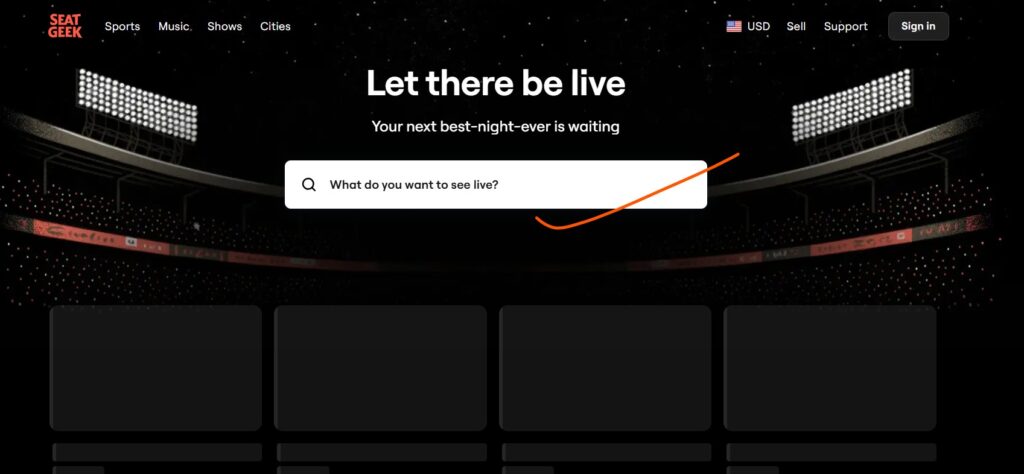
When you visit Seatgeek’s website or open their mobile app, you will see a search bar where you can type in the name of the event, team, artist, or venue you’re interested in.
You can also browse by category (like sports, concerts, or theater) or search for events near your location. Seatgeek makes it easy to discover what’s happening around you, so you never miss out on a great show.
-
Browse Available Tickets
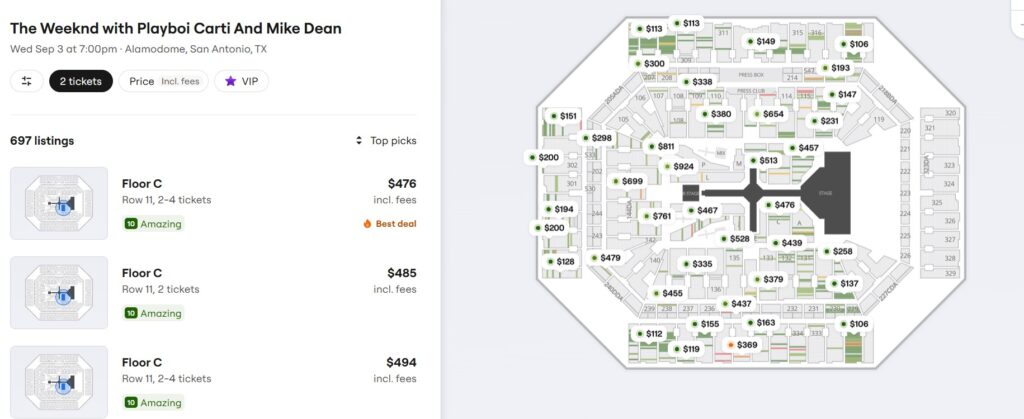
Once you select an event, Seatgeek displays all the available tickets for that event. You will see details like seat location, price, and any extra perks (like VIP access or padded seats). One cool feature is Seatgeek’s interactive seating map, which shows you exactly where your seats are in the venue. This helps you pick seats with the best view or closest to the stage.
Seatgeek also uses a Deal Score system, powered by AI, to rate tickets based on their value. A high Deal Score means you’re getting a great seat for a good price compared to similar tickets. This takes the guesswork out of finding the best deal.
-
Compare Prices

One of the biggest advantages of Seatgeek is that it lets you compare prices from different sellers all in one place. Prices can vary depending on the seat location, event popularity, and demand. Seatgeek shows you the total price, including fees, so there are no surprises at checkout. You can also filter tickets by price, quantity, or specific features like accessibility options.
-
Check Seller Ratings
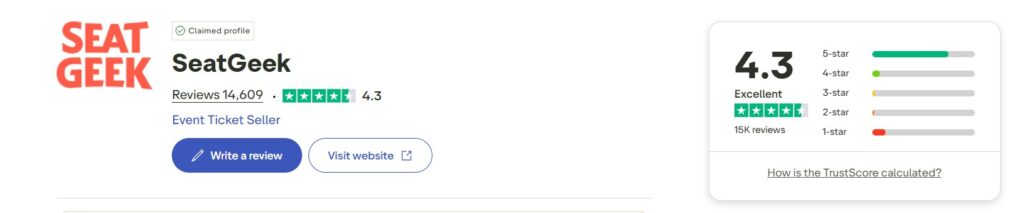
Not all tickets on Seatgeek are sold directly by the platform. Many come from other fans or licensed sellers. To help you feel confident, Seatgeek provides seller ratings based on user reviews and feedback. Before buying, you can check the seller’s rating to ensure they’re reliable.
-
Complete Your Purchase
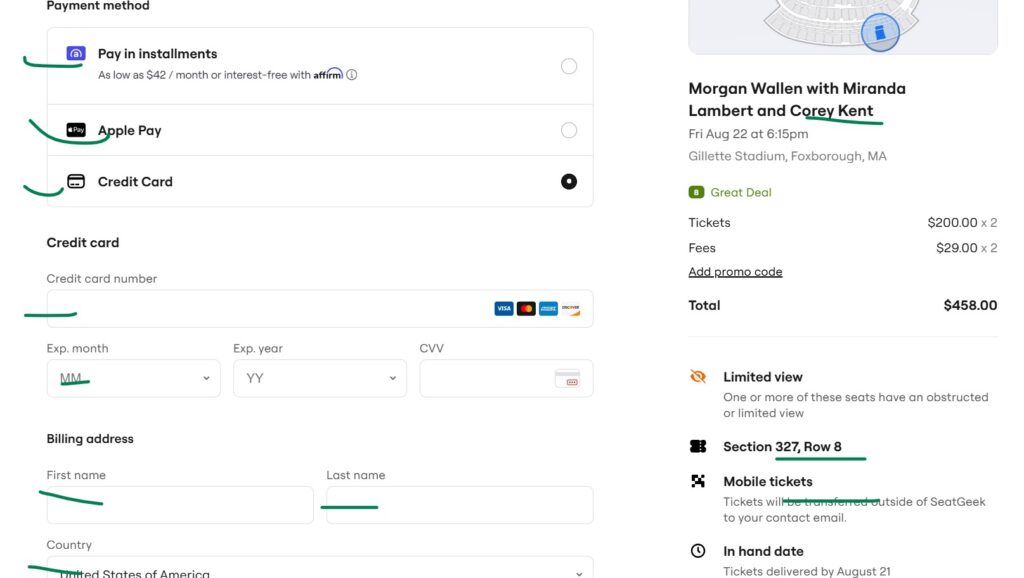
Once you find the tickets you want, click on the listing and proceed to checkout. Seatgeek offers secure payment options like credit cards or Google Pay. After you complete your purchase, you will receive your tickets either via email or directly in the Seatgeek app. Most tickets are e-tickets, which we will explain more about later.
-
Enjoy the Event
When it’s time for the event, simply open the Seatgeek app or your email to access your e-tickets. Show the barcode or QR code at the venue, and you’re ready to enjoy the show! Seatgeek’s Buyer Guarantee ensures that your tickets are valid, and if anything goes wrong (like an event cancellation), they will help you get a refund or replacement tickets.
How Does Seatgeek E Tickets Work?
E-tickets (electronic tickets) are the most common way to receive and use tickets on Seatgeek. They are super convenient because you don’t need to print anything or wait for physical tickets to arrive in the mail. Here’s how Seatgeek e-tickets work:
-
Delivery to Your Account or Email
After you buy tickets, they are delivered to your Seatgeek account or sent to your email as a PDF or mobile barcode. Most tickets are mobile e-tickets, which means they’re stored in the Seatgeek app or linked to a third-party platform like MLB Ballpark or Ticketmaster.
-
Accessing Your E-Tickets
To access your e-tickets, log in to your Seatgeek account on the app or website. Go to the “Tickets” tab, where you’ll see all your purchased tickets. For mobile e-tickets, you will see a barcode or QR code that you can show at the venue. If the tickets are delivered via a third-party platform, you’ll get an email with instructions to accept them.
-
Using E-Tickets at the Event
At the venue, open the Seatgeek app and display the barcode or QR code for your tickets. The venue staff will scan it to let you in. If your tickets are in a third-party app like MLB Ballpark, you will need to open that app instead.
Make sure your phone is charged, as you will need it to show your tickets!
-
Transferring or Selling E-Tickets
If you can’t attend the event, you can transfer your e-tickets to a friend for free or sell them on Seatgeek’s Marketplace. To transfer, just select the tickets in your Seatgeek account and send them to the recipient’s phone number or email.
E-tickets make the process fast and easy, and Seatgeek’s integration with venues and teams ensures a smooth experience. Additionally, with mobile tickets, you don’t have to worry about losing a paper ticket!
How Does Seatgeek Work for Sellers?
If you have extra tickets or can’t make it to an event, Seatgeek makes it easy to sell your tickets to other fans. From concerts and sports games to theater shows, the platform’s Marketplace is designed to help you reach millions of potential buyers. Many people often ask, how does Seatgeek work for sellers, and the answer is simple: the process is quick, secure, and fully managed by Seatgeek.
Here’s how selling on Seatgeek works:
-
Create a Seatgeek Account

To sell tickets, you need a Seatgeek account. Creating one takes only a few minutes by entering your name, email, and a password. If you are selling MLB tickets or tickets bought through a team account, such as the Charlotte 49ers, make sure to use the same email as your team account so the tickets link automatically.
-
Upload Your Tickets
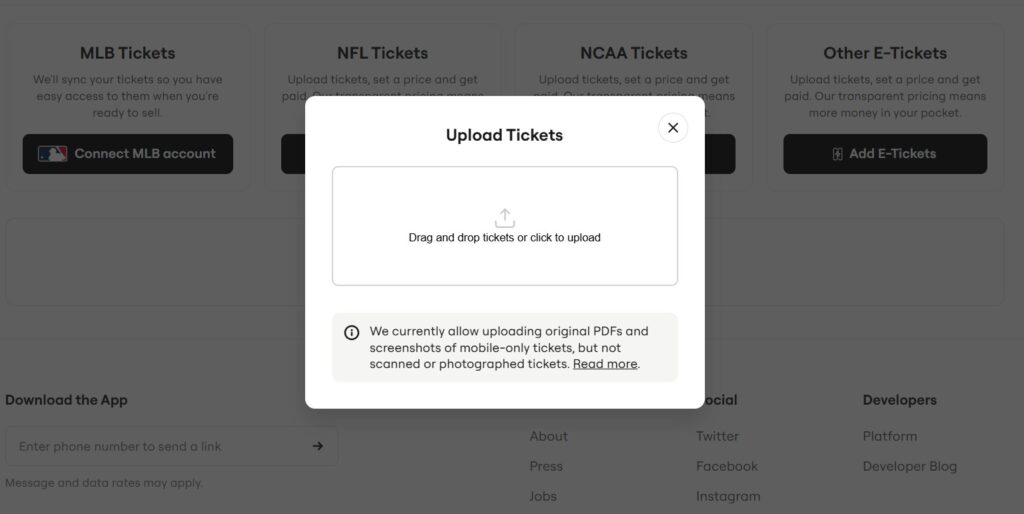
You can only sell tickets that are already in your possession or in your account. Seatgeek accepts PDF tickets, screenshots of mobile tickets, MLB mobile barcodes, some college event mobile tickets, and NFL mobile barcodes. To upload:
- Log in to your Seatgeek account on the website or app.
- Go to the “Tickets” tab and select “Sell.”
- Find the event you want to sell tickets for.
- Upload your tickets by following the prompts, such as entering seat numbers, section, and row details.
Note that physical tickets, third-party electronic tickets with rotating barcodes, or tickets not yet delivered cannot be sold on Seatgeek.
-
Set Your Price
Graphic showing two pricing options:
Pricing your tickets is a key step. Seatgeek’s Smart Pricing feature uses AI and historical data to suggest a competitive price based on market demand. You can choose to set your own price or use the recommended price. Some events may have a minimum price requirement, and Seatgeek will let you know if your price is too low.
You can also enable dynamic pricing, which automatically adjusts your ticket price based on demand. This helps your tickets sell faster without you having to manually update the price.
-
List Your Tickets
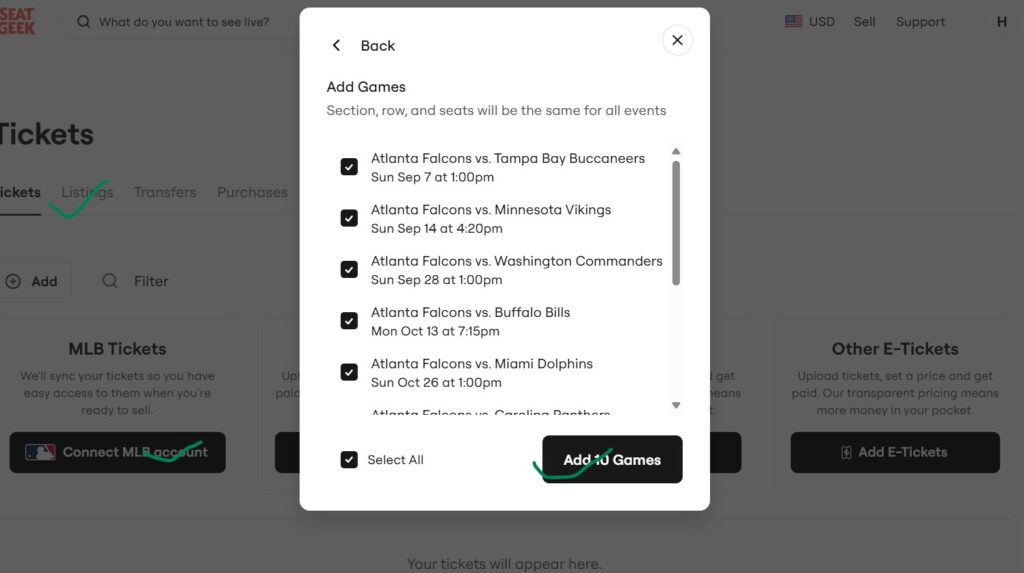
After entering ticket details and setting a price, click the “Sell” button to list your tickets on the Seatgeek Marketplace. You can choose to sell all your tickets together or split them (e.g., sell two pairs instead of four tickets together). Make sure to include accurate details like seat numbers or any special features (like VIP access) to attract buyers.
-
Reach a Wide Audience
Seatgeek’s large user base means your tickets get seen by millions of fans. You can also share your listing on social media to increase visibility. The more exposure your tickets get, the faster they’re likely to sell.
-
Get Paid Securely
When your tickets sell, Seatgeek handles the transfer to the buyer automatically, so you don’t need to worry about delivering them yourself. Payments are sent via direct deposit to your bank account, typically within 48 hours after the event ends. You will need to provide your bank account details and, for tax purposes, your name, address, and Social Security Number (or EIN for businesses). For listings over $2,500, you will need to provide this information before listing.
-
Manage Your Listings
You can edit or delist your tickets at any time before they sell. For example, if you decide to attend the event yourself, you can remove your listing from the Marketplace. Just go to the “Tickets” tab, select your listing, and choose “Edit” or “Remove.”
Note: If you have any queries, you can directly contact on official Seatgeek phone number to talk to the expert regarding your concern.
How Does Selling On Seatgeek Work Successfully
To sell your tickets successfully, keep the followings in mind:
- List Early: The sooner you list your tickets, the more time buyers have to find them.
- Use Smart Pricing: Seatgeek’s pricing tools help you set a competitive price that attracts buyers.
- Monitor the Market: Check what similar tickets are selling for and adjust your price if needed.
- Be Accurate: Provide clear details about your tickets, like seat numbers or special perks, to build trust with buyers.
- Check Policies: Understand Seatgeek’s fees (typically 10%) and any event-specific rules, like minimum pricing or resale restrictions.
Why Choose Seatgeek for Buying and Selling?
Seatgeek is known for several reasons:
- Wide Selection: With tickets from primary and secondary sellers, you get more options in one place.
- Transparent Pricing: Fees are shown upfront, so you know exactly what you’re paying or earning.
- User-Friendly Platform: The website and app are easy to navigate, even for beginners.
- Secure Transactions: Seatgeek’s Buyer Guarantee and secure payment system protect both buyers and sellers.
- Smart Tools: Features like Deal Score, Smart Pricing, and interactive seating maps make the process smoother.
Challenges to Watch Out For
While Seatgeek is user-friendly, there are a few things to keep in mind:
- Fees: Sellers pay a 10% fee per sale, which can cut into profits. Buyers also pay fees, which are included in the listed price.
- Competition: The Marketplace is competitive, especially with professional resellers, so pricing strategically is key.
- Restrictions: Some tickets (like those with rotating barcodes or not yet delivered) can’t be sold on Seatgeek.
- Tax Requirements: Sellers need to provide personal information for tax purposes, which may feel invasive but is required by law.
Seatgeek makes buying and selling tickets for live events simple, secure, and convenient. From finding great seats at a concert to reselling extra tickets for a game, the platform is designed to support both buyers and sellers. Buyers can compare prices, view seating charts, and receive e-tickets with ease. Sellers gain access to a large audience, smart pricing tools, and automatic ticket delivery. By following the steps explained here and using Seatgeek’s features, you enjoy a smooth, reliable ticketing experience.
Recommended Post:
How to Save Big with Seatgeek Promo Codes $100 Off
Does Seatgeek Have Gift Cards or Support Other Gift Options
how to get to Seatgeek Stadium
How Does the Seatgeek Buyer Guarantee Work
Buying Tickets on Seatgeek Work
How to Sell Tickets on Seatgeek and Stubhub
How to Get the Best Seats for Taylor Swift on Seatgeek
Seatgeek Promo Codes for $40 Off Tickets
How to Sell Taylor Swift Tickets on Seatgeek