Ticketmaster Keeps Logging Me ...
If Ticketmaster keeps logging you out right before a presale, during checkout, or while waiting in t...


Selling tickets for your favorite concerts or live events has become a simple process thanks to well-built online platforms. Ticketmaster is among the most trusted names for both buying and selling tickets. Many people attend events regularly and sometimes plans change. In such situations, learning how to sell tickets on Ticketmaster helps recover the investment smoothly and legally without running into fake resale platforms.
Ticketmaster offers a built-in resale marketplace designed for people who already purchased tickets through them. This feature allows users to list tickets directly from their Ticketmaster account without needing to move the tickets to another platform. Every resale ticket goes through Ticketmaster’s secure system, giving buyers confidence that they are purchasing real tickets.
This built-in resale option is the foundation for the process of how to resell tickets on Ticketmaster. It connects the original buyer and new buyer without confusion. Sellers set their price, Ticketmaster handles the transaction, and funds are transferred to the seller after the event. This reduces the risk of fraud and protects both parties.
For users learning how to sell concert tickets on Ticketmaster, it is important to understand that Ticketmaster acts as an intermediary, ensuring that once a sale takes place, the old barcode is canceled and a new one is issued to the new buyer. This means the seller does not need to hand over any physical tickets or digital files.
The process for selling tickets through Ticketmaster is straightforward when followed step by step.
Login to Your Account
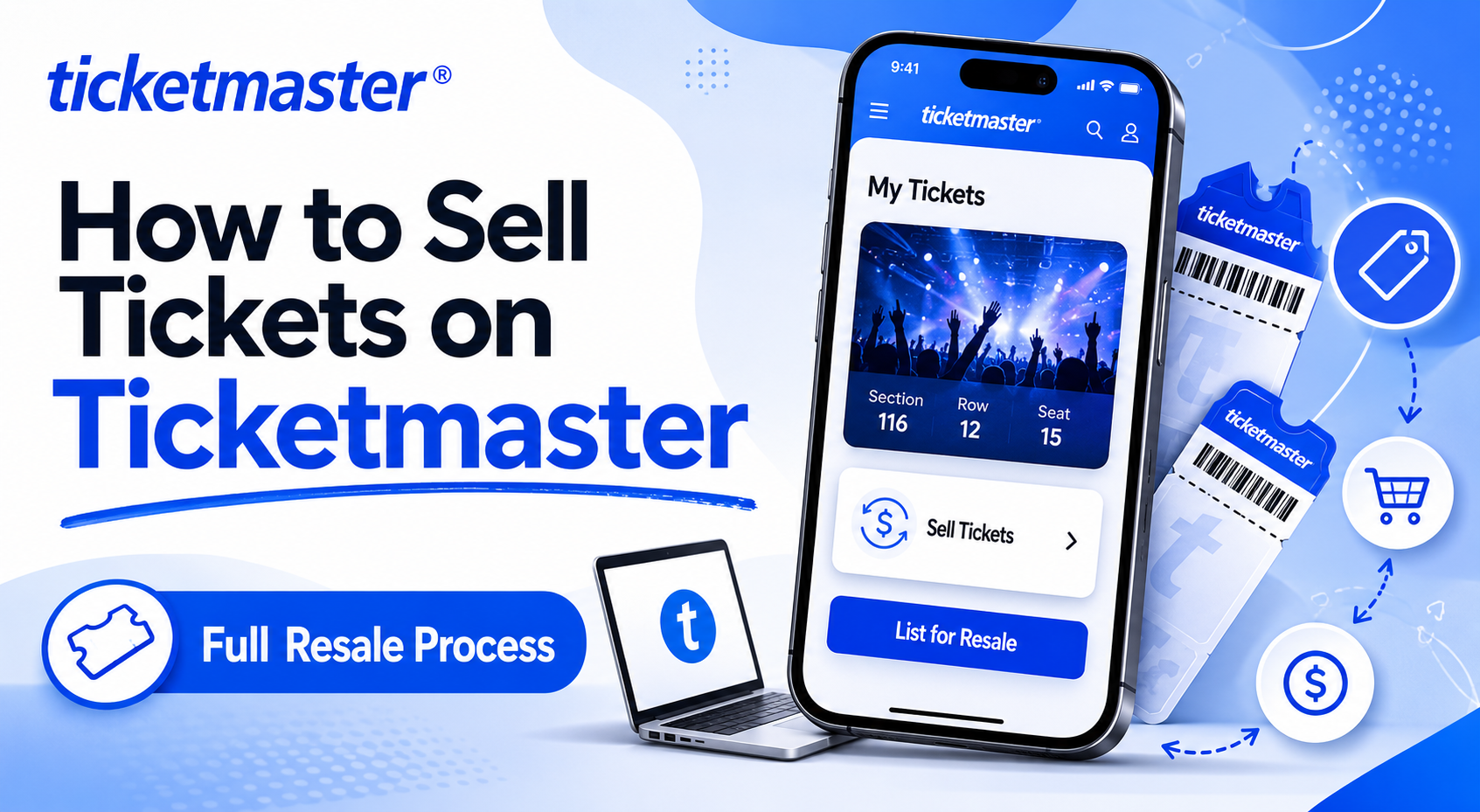
Visit Ticketmaster’s official website or open the mobile app and login using your account credentials. Ensure that the tickets you plan to resell are already visible under the “My Tickets” section. Only tickets purchased through Ticketmaster or transferred to your account are eligible for resale using their marketplace.
Choose the Event
In the “My Tickets” section, select the concert or event for which you need to sell tickets. When resale is allowed for that event, you will see an option to “Sell Tickets.”
Click on Sell Tickets
Once you choose the tickets, click the “Sell Tickets” button. This will take you to the listing page, where Ticketmaster provides an interface to set prices and review listing details.
Set a Price
This is a key step when learning how to sell concert tickets on Ticketmaster. The platform may recommend a price range based on similar listings. You can choose a price within or outside that range depending on demand, seating location, or event popularity.
Confirm Payment Method
Ticketmaster pays sellers through methods like direct deposit, depending on region and setup. Make sure you verify your bank account details before confirming the listing to avoid delays.
Publish the Listing
After reviewing all information, confirm and publish your listing. Once the listing goes live, it becomes visible to buyers browsing that event page. When a buyer purchases your tickets, you will receive a notification from Ticketmaster and your funds will be processed after the event concludes.
That is the core of how to sell tickets on Ticketmaster and how to resell tickets on Ticketmaster without dealing with third-party risk.
Ticketmaster’s built-in process makes selling secure, but certain practices can help listings sell more quickly. These tips will improve your chance of success when figuring out how to sell concert tickets online.
Many sellers new to reselling tickets through Ticketmaster list prices far above market demand. Monitoring the event listing for similar seats helps set a realistic and competitive price.
The earlier you list your ticket after realizing you cannot attend, the better. Earlier listings get more visibility since fans often plan weeks in advance.
For sold-out shows such as major artists, resale demand stays high. For smaller concert events, it may take longer, so plan accordingly.
Keep checking the event page to see price changes or tickets selling faster. Adjusting your price even slightly can make your listing more attractive.
Understanding how to sell tickets on Ticketmaster does not only protect your sale but also keeps your account verified. Selling outside official platforms can lead to complications or scams.
Many users ask this question before reselling tickets for the first time because they worry about transferring or approving buyers. Ticketmaster simplifies every step. Below is a detailed look at how you can sell concert tickets on Ticketmaster using an example scenario.
Imagine you purchased two tickets for a popular artist’s concert, but you cannot attend. When you log into your Ticketmaster account, open the “My Tickets” page. Select that concert. The system will display your ticket details, including section, row, and seat numbers.
You will then see a direct option that says “Sell Tickets.” Click it, and you will be prompted to set your listing price. If the original cost was 80 dollars per ticket, Ticketmaster might recommend listing around 90 or 100 depending on event demand. You can enter your price, then choose your payout method, usually direct deposit.
Before confirming, the platform shows your expected payout amount after Ticketmaster’s service fee. Review everything carefully and click confirm. From that moment, your tickets remain listed until someone buys them or until the event date passes. Once they sell, Ticketmaster will process payment after the event completes, ensuring all transactions are legitimate and final.
That is how you can sell concert tickets on Ticketmaster, completely online and with zero physical transfer.
Several strategies can help you identify the best way to sell tickets from Ticketmaster for optimal speed and payout.
Ticketmaster’s resale pages display live listings from other sellers. Reviewing those prices helps you stay competitive. Finding a balanced price between profit and demand attracts buyers quickly.
Listing tickets only a day or two before an event often leads to unsold inventory. Buyers are usually ready earlier, so posting your tickets a few weeks before gives a larger window for discovery.
Clear and accurate information about seating type increases confidence for buyers. Avoid hiding obstructed view seats or side-stage sections. Transparency helps your profile remain trusted for future resales.
Ticketmaster uses its own algorithms to prioritize listings. Keeping your account active and accurate helps with visibility.
Although most major events allow resale, some organizers disable it to prevent overpricing. Always verify that the resale option appears for your event before planning your sale.
By applying these techniques, sellers can easily identify the best way to sell tickets from Ticketmaster that fits both timing and pricing needs.
Ticketmaster applies a small service fee to every resale transaction. This fee covers processing, buyer protection, and platform operation. Sellers see their expected payout on the listing confirmation page before publishing, so there are no hidden costs.
Payment timelines vary slightly based on geography, but most sellers receive payouts within five to ten business days after the event ends. This system helps confirm successful entry for the buyer, ensuring Ticketmaster releases funds only after satisfaction.
For people who often sell through Ticketmaster, adding verified bank details keeps future payments faster and more consistent.
Sometimes the ticket resale option does not appear on the event page. In such cases, Ticketmaster clearly states that resale is not allowed for that specific event. This usually depends on the event organizer’s policy rather than Ticketmaster itself.
If you cannot find the resale button, check:
When resale is not permitted, you can use Ticketmaster’s fan-to-fan transfer option if the organizer allows transfers. While this is not a paid sale, it helps pass tickets legally to someone else you know.
Most people today manage their tickets on smartphones. Ticketmaster’s mobile application offers full resale functionality. Users can open their event tickets, tap on “Sell,” and list directly. The same pricing, payout, and confirmation steps apply, with added convenience.
The benefit of using the app is instant price editing and sale notification. You can adjust your listing even while traveling. The app also sends confirmation messages when tickets sell, keeping you updated in real time.
This mobile-based process is one of the reasons fans regard Ticketmaster as the most effortless platform for reselling tickets through secure channels.
Ticket scams remain a concern for online buyers. Ticketmaster’s resale system solves this through internal verification. When someone learns how to sell concert tickets on Ticketmaster using the built-in platform, each transaction automatically goes through Ticketmaster’s inspection to guarantee authenticity.
When a buyer completes a purchase:
This is the safest approach for how to resell tickets on Ticketmaster because it leaves no manual transfer or PDF sharing. Every step stays controlled within one secure environment.
Even with easy instructions, sellers occasionally make errors that delay payouts or prevent sales. Understanding these common mistakes will safeguard your experience.
1. Listing Non-Transferable Tickets
Some tickets may not qualify for resale. Always confirm before listing to avoid rejections.
2. Incorrect Banking Information
Entering wrong account details delays payment. Always double-check payout details before finalizing.
3. Setting Artificially High Prices
Overpriced listings rarely sell and may get buried in search results. Align pricing with demand.
4. Canceling Listings Late
Removing a listing right before a sale or event may cause confusion. Keep listings stable unless absolutely necessary.
These small precautions guarantee smoother selling through Ticketmaster’s system.
Sellers often ask why they should use Ticketmaster instead of third-party marketplaces. The answer lies in trust, transparency, and automation. Ticketmaster directly connects seller and buyer within its verified network, removing risks of fake scans, duplicate barcodes, or invalid entries.
Key advantages include:
These benefits make selling tickets through Ticketmaster a clearly superior choice for convenience and safety.
Learning how to sell tickets on Ticketmaster is straightforward once you understand its secure built-in system. It allows every seller to manage listings from login to payout with minimal effort. If you are learning how to resell tickets on Ticketmaster for the first time or you already know how to sell concert tickets online, following these steps ensures smooth and legitimate transactions.
By setting fair prices, listing early, keeping account details accurate, and using verified Ticketmaster features, anyone can find the best way to sell tickets from Ticketmaster without hassle. The platform’s clear structure, transparency, and buyer confidence make it a preferred choice for music fans everywhere.
Selling tickets through Ticketmaster brings peace of mind even when plans change, turning canceled event nights into successful resales within minutes.
If Ticketmaster keeps logging you out right before a presale, during checkout, or while waiting in t...
Your Ticketmaster presale code not working right when the presale opens is one of the most frustrati...