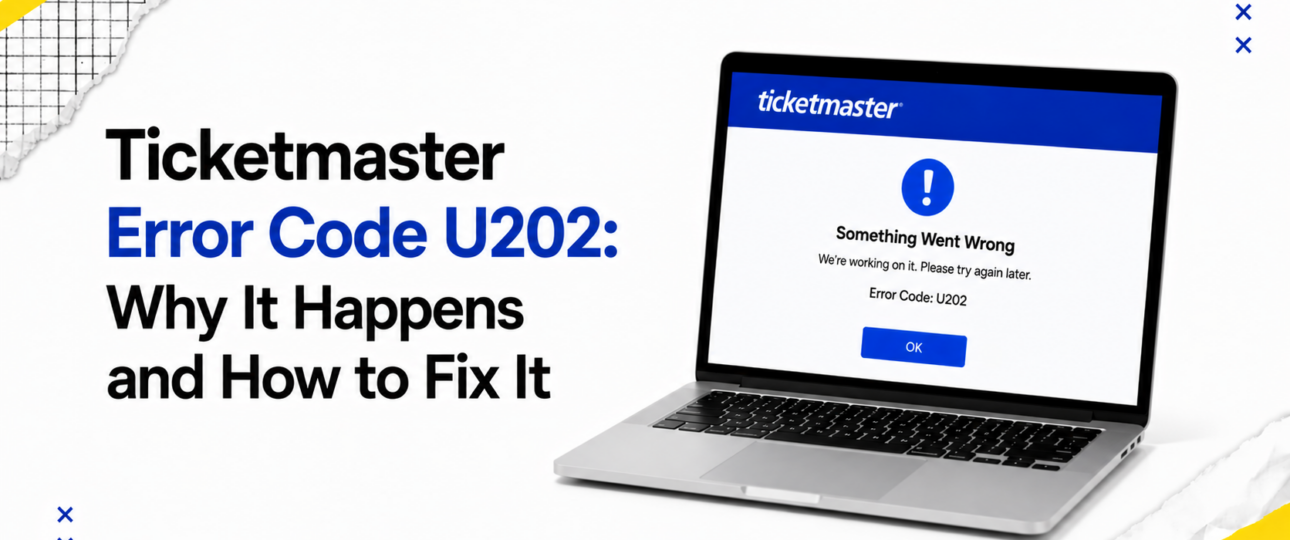
The Ticketmaster Error Code U202 is a generic on-screen message that appears when something interrupts the checkout or login process. Users typically see a short pop-up or banner alert, often paired with the code number and little else in the way of explanation. The message can feel confusing because it does not say which part of the process failed: the payment, the session, the queue position, or something else entirely.
Ticketmaster has not published a detailed public breakdown of what triggers each internal error code, including U202. Because of that, this article draws on publicly available information, patterns reported by ticket buyers, and general knowledge of how large e-commerce and ticketing platforms behave under pressure. The steps below reflect sensible, widely used troubleshooting practice rather than confirmed internal diagnostics from Ticketmaster itself.
What matters most for anyone seeing this code is understanding that it usually reflects a temporary hiccup rather than a permanent block, and that most instances can be resolved with a handful of straightforward steps.
Why Did I Get Ticketmaster Error Code U202?
A number of everyday situations can trigger this message.
- Browser session problems: Sessions can time out after periods of inactivity, particularly during a long virtual queue. A fan who waits forty-five minutes before reaching checkout may find their session has quietly expired, and the site fails to reconnect them cleanly.
- Login verification issues: Extra verification steps, such as a one-time code sent by email, can time out before checkout completes, leaving the account only partly authenticated.
- Temporary website interruptions: Brief service hiccups can occur on any large platform, especially seconds after a major on-sale begins.
- Payment communication delays: A card issuer’s verification system may respond more slowly than the checkout page expects, and the transaction times out waiting for a reply.
- Browser compatibility: An outdated browser may not support the scripts the checkout page relies on, causing the process to fail partway through.
- Security verification: Fraud-prevention systems can flag unusual activity, such as rapid repeated clicks or several tabs open on the same order.
- High website traffic: Extremely popular on-sales can push servers close to capacity, slowing responses across the board.
- Network instability: A dropped Wi-Fi connection or a weak mobile signal at the moment of submission can interrupt the request.
- VPN or proxy conflicts: Routing traffic through a VPN can place a user in an unexpected region, which security systems may flag as suspicious.
Can I Still Buy My Tickets?
For most buyers, Error Code U202 does not permanently block a purchase. Seats that were available before the error appeared may remain available afterwards, though this cannot be guaranteed during a high-demand on-sale, where inventory can move within seconds.
Before trying again, it is worth taking a moment to check for a confirmation email and to glance at a bank statement or banking app for a pending charge. This confirms if the payment already went through, which helps avoid an accidental duplicate purchase. Buyers who cannot find any record of a completed order can usually treat the attempt as unsuccessful and try again using the fixes below.
What’s the Fastest Way to Fix It?
These solutions are listed roughly in order of speed and simplicity, from quickest to more involved.
- Refresh the page: This clears many minor glitches instantly and costs nothing to try first.
- Sign out and back in: A fresh login often resets a session that expired mid-process.
- Clear the browser cache: Old cached files can conflict with an updated checkout page.
- Remove cookies for the site: This forces a clean session and can resolve stubborn login loops.
- Try a different browser: Switching browsers rules out a compatibility issue with a specific one.
- Restart the app: Closing and reopening the mobile app clears background errors that a simple refresh will not touch.
- Use another device: A different phone, tablet or computer sidesteps device-specific glitches entirely.
- Switch internet connections: Moving from Wi-Fi to mobile data, or the reverse, can resolve intermittent network issues.
- Disable a VPN: Turning off a VPN or proxy removes a common trigger for security flags.
- Update software: An outdated browser or app version may be missing a fix already released for this issue.
- Wait a short while during busy sales: Traffic-related errors often clear once the initial rush eases.
- Contact Ticketmaster Support: This is the right step once the options above have been tried without success, particularly when a payment may have been taken without a confirmed order.
Which Devices Can Display Error Code U202?
This error is not tied to one platform. It has been reported across a wide range of devices and setups.
- Windows: Desktop users on Windows can encounter this message in any major browser, most often during high-traffic on-sales.
- Mac: The same applies on macOS, where browser extensions or outdated software can occasionally contribute to the issue.
- Android: Both the Ticketmaster app and mobile browsers on Android devices can show this code, particularly on an unstable mobile connection.
- iPhone: iOS users may see it within the app or in Safari, sometimes linked to background app refresh settings interrupting the session.
- Mobile browsers: Any mobile browser, regardless of operating system, is susceptible during periods of heavy demand.
- Desktop browsers: Chrome, Firefox, Safari and Edge have all been associated with reports of this error, which points towards a shared checkout process rather than a single browser being at fault.
Could This Be a Ticketmaster Problem?
In many cases, yes, at least in part. Large ticketing platforms experience genuine server-side pressure during major on-sales, and several factors sit largely outside a buyer’s control.
- Temporary server issues: A brief spike in demand can cause short-lived slowdowns across checkout systems.
- Planned maintenance: Scheduled updates occasionally overlap with periods of high traffic, though this is uncommon during announced on-sales.
- Peak traffic: The busiest moments, typically the first few minutes of a popular sale, place the greatest strain on any platform.
- Queue management: Virtual queue systems are designed to smooth out demand, and a momentary error can occur as a user transitions from queue to checkout.
Many of these issues resolve on their own within minutes, without any action needed from the buyer beyond a short wait and a retry. Ticketmaster error code u118
Habits That Reduce Future Errors
A few simple habits make future on-sales smoother.
- Log in and complete account verification well before a sale begins.
- Keep the browser and app updated to the latest version.
- Have payment details saved and ready ahead of time.
- Avoid opening multiple browser tabs for the same sale.
- Use a stable, wired or strong Wi-Fi connection where possible.
- Complete checkout promptly once tickets are selected, rather than pausing partway through.
Quick Answers
| Question | Short Answer |
| Is U202 permanent? | Usually not; it is typically temporary. |
| Will I lose my tickets? | Rarely, but availability during high demand cannot be guaranteed. |
| Does it mean I was charged? | Not necessarily; check a bank statement to confirm. |
| Can I just retry immediately? | Yes, though refreshing or clearing cookies first often helps. |
| Is it a browser issue? | Sometimes; trying another browser is a quick way to check. |
| Does a VPN cause it? | It can, since VPN traffic may trigger security checks. |
| Should I contact support straight away? | Try basic fixes first, then contact support if it persists. |
| Does it happen more during presales? | Yes, high-traffic sales see it reported more often. |
| Is my account blocked? | Not typically; the error is usually unrelated to account status. |
| Can extensions cause it? | Occasionally, ad blockers or script blockers can interfere. |
The Bottom Line
Most instances of Ticketmaster Error Code U202 are temporary and resolve through basic troubleshooting, such as refreshing the page, clearing cookies, or switching to another browser or device. Patience matters most during high-demand ticket sales, when traffic-related hiccups are far more common. Working through the recommended steps first, then reaching out to Ticketmaster Support if the problem persists, gives buyers the best chance of a smooth resolution. Ticketmaster error code u120
Frequently Asked Questions
Is Ticketmaster Error Code U202 temporary?
Yes, in most reported cases. Basic troubleshooting resolves it for the majority of buyers within a few attempts.
Does Error Code U202 affect payments?
It can interrupt the payment step, though it does not always mean a charge was taken. Checking a bank statement is the most reliable way to confirm.
Can VPNs cause the error?
A VPN can route traffic in a way that security systems flag as unusual, which may contribute to checkout errors.
Should I clear cookies?
Clearing cookies for the site is a useful step, particularly when the error appears repeatedly on the same browser.
Can I lose my tickets?
Losing a selected seat is possible during extremely high demand, though it is not the typical outcome of this error.
Does using another browser help?
Switching browsers rules out a compatibility problem and is one of the quicker fixes available.
Can the Ticketmaster app display U202?
Yes, the error has been reported within the mobile app as well as in browsers.
Is my account blocked?
This error is generally unrelated to account status, and does not usually indicate a block.
How long should I wait before retrying?
A short wait of a few minutes is often enough, particularly when the issue relates to high traffic.
When should I contact support?
Reach out to Ticketmaster Support once the standard fixes have been tried, especially when a payment may have been taken without a confirmed order.
Does the error happen during presales?
Presales and other high-demand on-sales see this error reported more frequently, largely due to traffic volume.
Can browser extensions trigger U202?
Ad blockers, script blockers and some security extensions can interfere with checkout scripts and are worth disabling temporarily.