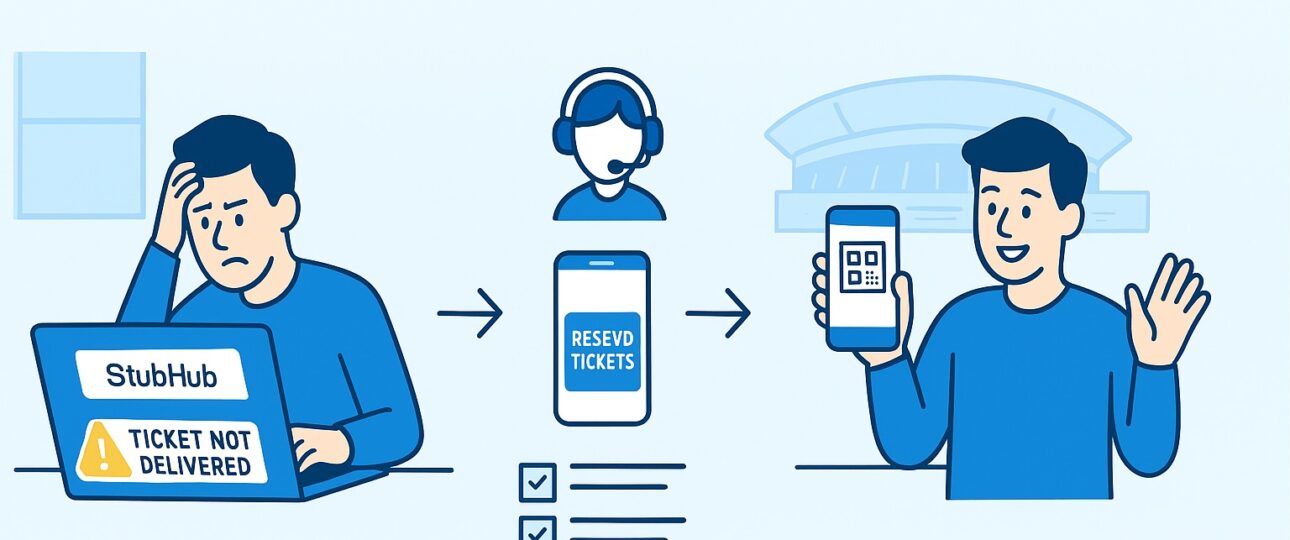
Buying and selling tickets online is supposed to be quick, easy, and secure. Platforms like Stubhub have become go-to options for fans looking to purchase event tickets for concerts, sporting events, theater shows, and more. However, many users report running into Stubhub ticket problems during checkout, ticket transfer, or while accessing their purchased tickets.
If you have ever seen error messages such as “Something went wrong,” or faced delays in transferring tickets, you are not alone.
Why Do Stubhub Ticket Problems Happen?
There are many reasons why you might face Stubhub ticket issues. Most of the time, these errors are linked to incomplete account information, incorrect payment details, or technical glitches when buying or transferring tickets. Some of the common factors include:
- Incomplete contact or address details on your Stubhub account.
- Technical errors on Stubhub’s website or app.
- Payment card verification failures.
- Ticket transfers not syncing with third-party platforms like MLB Ballpark or Ticketmaster.
- Seller delays in delivering electronic or mobile tickets.
- Miscommunication between Stubhub and event organizers.
Understanding why these issues occur is the first step to solving them. Now, let us look at the most common types of Stubhub ticket problems and how to fix them.
Common Stubhub Ticket Issues
Here are some common Stubhub ticket issues that you can encounter:
-
“Something Went Wrong” Error During Purchase
Perhaps the most frustrating Stubhub problem with tickets occurs when you try to purchase tickets and get the message: “Something went wrong.” This usually means Stubhub is unable to process the transaction due to missing account details or system errors.
Solution:
- Go to Settings in your Stubhub account.
- Click on the Contact and Addresses tabs (on the mobile app, you’ll find them in the drop-down menu).
- Ensure that all mandatory sections, especially billing and address details, are filled in correctly.
- Save any changes.
If the information is correct but you still see the error, you should contact Stubhub’s Help Center for further support.
This is one of the most frequent Stubhub ticket issues, and fixing the account details often resolves it.
-
Problem Processing Your Request Stubhub Mobile Tickets
Many fans report a problem processing your request Stubhub mobile tickets error. This issue happens when trying to open or transfer mobile tickets using Stubhub’s app.
Common causes include:
- Connectivity issues (weak internet or unstable Wi-Fi).
- Incomplete transfer setup between Stubhub and the event organizer’s ticket platform.
- Delays in the seller sending mobile tickets.
Steps to Fix:
- Switch from Wi-Fi to mobile data (or vice versa) to refresh the connection.
- Ensure the Stubhub app is updated to the latest version.
- Check if your email on Stubhub matches the email used on the event’s official ticket platform (like MLB Ballpark or Ticketmaster).
If tickets still do not load, contact Stubhub customer support for manual assistance.
-
Problem Transferring Part of Stubhub SF Giants Tickets
Sports fans, especially MLB followers, often face a problem transferring part of Stubhub SF Giants tickets. For instance, if someone buys multiple seats but wants to transfer only some tickets to friends, the Stubhub platform can sometimes glitch.
This error might occur due to:
- Restrictions set by the Giants’ ticket system.
- Technical delays in syncing with MLB Ballpark app.
- Incorrect or mismatched email addresses during transfer.
How to Fix This:
- Double-check the recipient’s email address.
- Log into the MLB Ballpark app and check if the tickets are already there.
- Try transferring tickets one by one instead of in batches.
If you continue facing issues with Stubhub tickets, contact Stubhub support so they can reissue the tickets or walk you through the manual transfer process.
-
Stubhub Issues with Tickets After Purchase
Sometimes, tickets purchased on Stubhub don’t show up immediately in your account. Buyers report delayed emails or missing ticket notifications. These issues with Stubhub tickets often create panic, especially close to event day.
Causes:
- Seller delay in ticket upload.
- Stubhub’s internal processing queue.
- Email delivery issues.
Solution:
- Check your spam/junk folder for ticket emails.
- Give Stubhub’s delivery timeframe a few hours before escalating.
- Log in to Stubhub’s website (not just the app) to manually refresh your account.
If your event is within 24 hours and tickets are still missing, immediately contact Stubhub support for emergency assistance.
-
Stubhub Ticket Issues with Barcodes Not Scanning
Another common Stubhub ticket problem is when electronic barcodes fail to scan at the event. This is rare but can be very stressful.
Possible Causes:
- Ticket transfer was not completed properly.
- The event organizer invalidated the tickets.
- Seller delivered fake or duplicate tickets (Stubhub’s FanProtect guarantee usually covers this).
How to Fix:
- Ensure you are using the official event app (MLB Ballpark, Ticketmaster, AXS, etc.) to access tickets.
- Download tickets before heading to the venue to avoid network issues.
If the tickets still don’t scan, head straight to the box office or contact Stubhub support for immediate help. Stubhub’s policy ensures buyers get entry to the event or receive a refund under FanProtect.
How to Prevent Stubhub Ticket Problems
While many Stubhub ticket problems arise unexpectedly, there are several proactive steps you can take to minimize the chances of running into errors.
- Use the latest version of the Stubhub app.
- Ensure your contact and address details are complete and correct.
- Use a reliable payment method, ideally a major credit card.
- Double-check email addresses before transferring tickets.
- Download transferred tickets as soon as they arrive in your account.
Purchase tickets well before the event to allow extra time for resolution if issues occur.
Stubhub Support Options
When Stubhub ticket issues don’t resolve through self-help, reaching out to customer support is necessary. Stubhub offers multiple support options:
- Help Center: Visit my.Stubhub.com/contactus to submit a request or chat with a representative.
- Phone Support: Depending on your region, the platform offers Stubhub customer service live chat to assist with urgent problems.
- Live Chat: Available through their website for real-time troubleshooting.
- Email Updates: Stubhub regularly sends tickets and transfer confirmations to your registered email. Always make sure it’s active.
Most buyers find that contacting Stubhub directly resolves problems with Stubhub tickets quickly, especially when the event is close.
Stubhub Ticket Problem Scenarios
To give you a clearer picture, let’s look at real-life scenarios where users reported Stubhub ticket issues and how they were addressed:
- Concert Ticket Missing in Account: A buyer purchased two concert tickets, but they never showed up in the account. After checking settings, contacting support, and confirming with the seller, the tickets were resent through the official venue app.
- Mobile Ticket Transfer Failed for Giants Game: A fan faced a problem transferring part of Stubhub SF Giants tickets to friends. After failed attempts in the MLB Ballpark app, Stubhub reissued the tickets with new barcodes, which resolved the issue.
- “Something Went Wrong” Payment Error: A user tried three times to buy NBA tickets but got repeated “Something went wrong” messages. Completing their address information in Stubhub settings fixed the problem instantly.
Why FanProtect Policy Matters
It’s worth noting that Stubhub has a FanProtect Guarantee, which means that if your tickets are fake, don’t arrive on time, or cannot be scanned, Stubhub will either replace them with similar tickets or issue a full refund. This guarantee ensures that even when you face issues with Stubhub tickets, you won’t lose your money.
Still, resolving the problem quickly requires reporting it as soon as it occurs. You should have Stubhub’s contact information handy, especially if your event is on the same day.
The Bottom Line
Buying tickets should be stress-free, but technical glitches and human errors sometimes create serious Stubhub ticket problems. From payment errors to transfer failures, barcode scanning issues, and mobile ticket access errors, these challenges can feel overwhelming.
Stubhub’s customer service, combined with the FanProtect guarantee, ensures that users are covered even if major Stubhub issues with tickets happen at the last minute. By staying proactive and informed, you can enjoy your events with peace of mind, knowing exactly what to do when Stubhub ticket issues arise.