Got extra tickets to a concert or sports game? Selling tickets on Seatgeek vs StubHub is a popular way to earn some money back. Both platforms are trusted, widely used, and make it easy to connect with buyers, though they operate a bit differently. Knowing how each one works can help you choose the best option for your needs. How to Sell Tickets on Seatgeek and Stubhub: Total Comparison
What Are Seatgeek and Stubhub?
Here’s a quick look at what these platforms are:
- Seatgeek: Seatgeek is a ticket marketplace that started in 2009. It’s known for being user-friendly, especially on mobile devices, and it serves as both a primary ticket seller (selling tickets directly from venues) and a secondary marketplace (where fans resell tickets). Seatgeek is popular for its clean design and features like the Deal Score, which helps buyers find the best ticket deals.
- Stubhub: Stubhub, launched in 2000, is one of the oldest and largest ticket resale platforms in the world. It’s a secondary marketplace, meaning it focuses on reselling tickets that fans or brokers already own. Stubhub is known for its huge audience, global reach, and partnerships with many sports teams and events.
Both platforms let you sell tickets to concerts, sports games, and more, but they have different features, fees, and processes.
How sell tickets on Seatgeek vs Stubhub?

A step-by-step comparison of selling tickets on two of the most popular resale platforms.
How to Sell Tickets on Seatgeek

Selling tickets on Seatgeek is straightforward, but you will need to follow a few steps to get started. Here’s how to list your tickets on Seatgeek:
Step 1: Create a Seatgeek Account
To sell tickets, you need a Seatgeek account. Download the Seatgeek app (available on iOS and Android) or visit their website. Sign up with your email, or log in if you already have an account. You can also sign in using your Facebook or Google account for convenience.
Step 2: Provide Payment and Tax Information
Seatgeek requires sellers to provide bank account details for payouts and some personal information for tax purposes, like your name, address, and Social Security Number (SSN) or Employer Identification Number (EIN).
If your ticket sales exceed $2,500, you must submit your SSN or EIN before listing. This is due to government regulations for tax reporting. Your information is stored securely, but some sellers may feel hesitant about sharing their SSN.
Step 3: List Your Tickets
Once your account is set up, follow these steps to list your tickets:
- Find the Event: Search for the event you are selling tickets for by entering the event name, date, or venue.
- Enter Ticket Details: Specify the section, row, and seat numbers for your tickets. You will also need to indicate how the tickets will be delivered.
- Upload Tickets: Seatgeek requires you to upload your tickets upfront. You can provide a PDF, a screenshot of a QR code for mobile tickets, or a barcode, depending on the event. This ensures tickets are ready to transfer to the buyer once sold.
- Set Your Price: Choose how much you want to sell your tickets for. Seatgeek’s Deal Score feature can suggest prices based on market demand and similar listings, helping you price competitively.
Step 4: Choose Delivery Method
Seatgeek offers a few ways to deliver tickets to buyers:
- Electronic Transfer: If you have digital tickets, you can upload them directly to Seatgeek. Once sold, they are automatically transferred to the buyer.
- Mobile App: Buyers can access tickets through the Seatgeek app.
- Physical Tickets: If you have paper tickets, you will need to mail them to the buyer. You’re responsible for shipping costs, which can add to your expenses.
Step 5: Get Paid
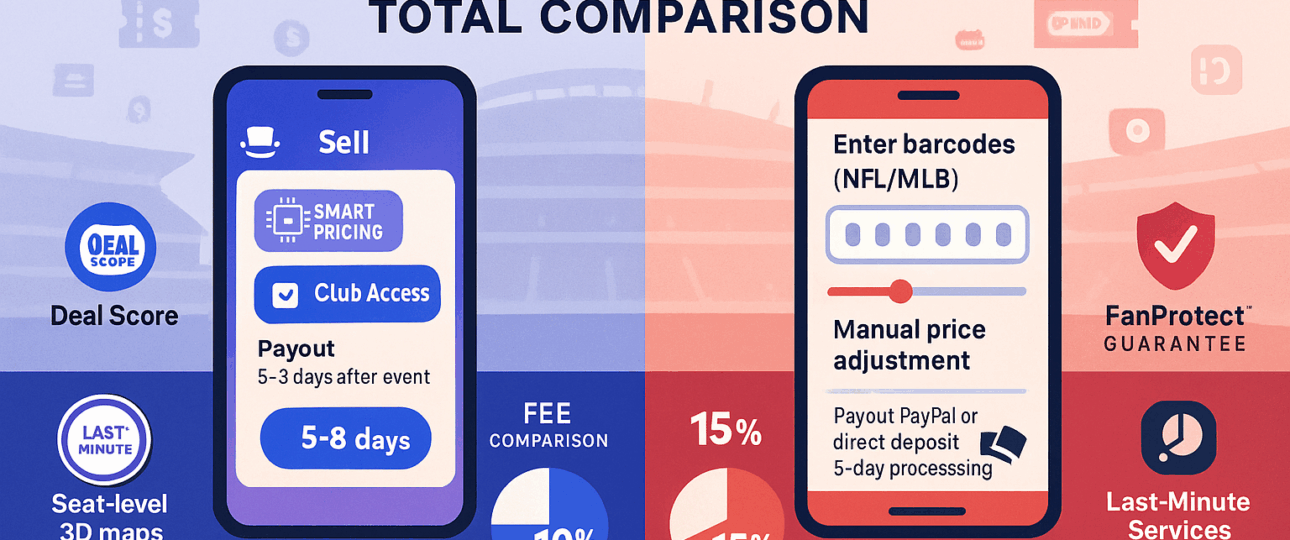
After your tickets sell, Seatgeek takes a 10% fee from the sale price. For example, if you sell a ticket for $100, you will receive $90. Payments are sent via direct deposit to your bank account or through PayPal, depending on your preference. Seatgeek typically processes payments quickly after the event to ensure everything goes smoothly.
Key Features of Selling on Seatgeek
- Deal Score: This tool analyzes ticket prices and seat locations to suggest competitive prices, making it easier to attract buyers.
- Lower Seller Fees: Seatgeek charges a 10% fee, which is often lower than competitors.
- User-Friendly App: The mobile app makes it easy to list and manage tickets on the go.
- Partnerships: Seatgeek partners with teams and leagues, like Major League Baseball (MLB), which can increase visibility for certain events.
How to Sell Tickets on Stubhub
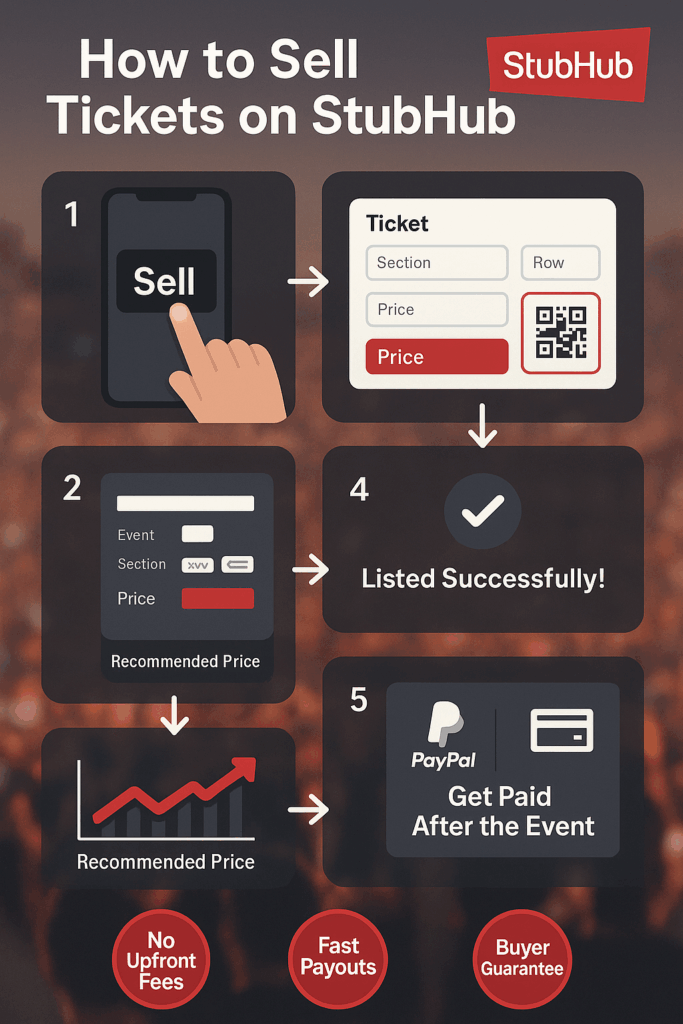
Stubhub has been around longer and has a larger audience, which can make it a great choice for selling tickets. Here’s how to sell tickets on Stubhub:
Step 1: Create a Stubhub Account
Go to Stubhub’s website or download their app (available on iOS and Android). Sign up with your email or log in if you already have an account. You can also use your Apple or Google account to sign in.
Step 2: Provide Payment Information
Like Seatgeek, Stubhub requires bank account details for payouts. You may also need to provide your SSN or EIN for tax purposes, especially if your sales exceed $600 in a year. This is a standard requirement for tax reporting, and Stubhub stores your information securely.
Step 3: List Your Tickets
To list your tickets on Stubhub:
- Search for the Event: Enter the event name, date, or venue to find the correct event.
- Enter Ticket Details: Specify the section, row, and seat numbers. Be as accurate as possible to avoid issues with buyers.
- Set Your Price: Choose your ticket price. Stubhub’s dynamic pricing tools show you what similar tickets are selling for, so you can adjust your price to stay competitive.
- Select Delivery Method: Indicate how you’ll deliver the tickets (electronic, mobile, or physical).
Step 4: Choose Delivery Method
Stubhub offers similar delivery options to Seatgeek:
- Electronic Transfer: Upload digital tickets or transfer them through the Stubhub app.
- Mobile App: Buyers can access tickets via the Stubhub app.
- Physical Tickets: If you have paper tickets, you’ll need to mail them to the buyer. Stubhub may charge an extra fee for mailing, which you’ll need to cover.
Step 5: Get Paid
Stubhub charges a 15% seller fee, which is higher than Seatgeek’s 10%. For a $100 ticket, you’d receive $85 after fees. Payments are sent via direct deposit or PayPal, typically after the event to confirm the tickets were valid and delivered correctly.
Key Features of Selling on Stubhub:
- Large Audience: Stubhub’s global reach means your tickets are visible to millions of buyers, increasing the chances of a quick sale.
- Dynamic Pricing: Stubhub’s tools help you adjust prices based on market demand, potentially maximizing your profits.
- FanProtect Guarantee: Stubhub ensures secure transactions and offers support if issues arise, giving sellers peace of mind.
- Partnerships: Stubhub works with many sports teams, like the New York Yankees and Philadelphia 76ers, which can boost visibility for certain events.
Key Differences between Seatgeek and Stubhub
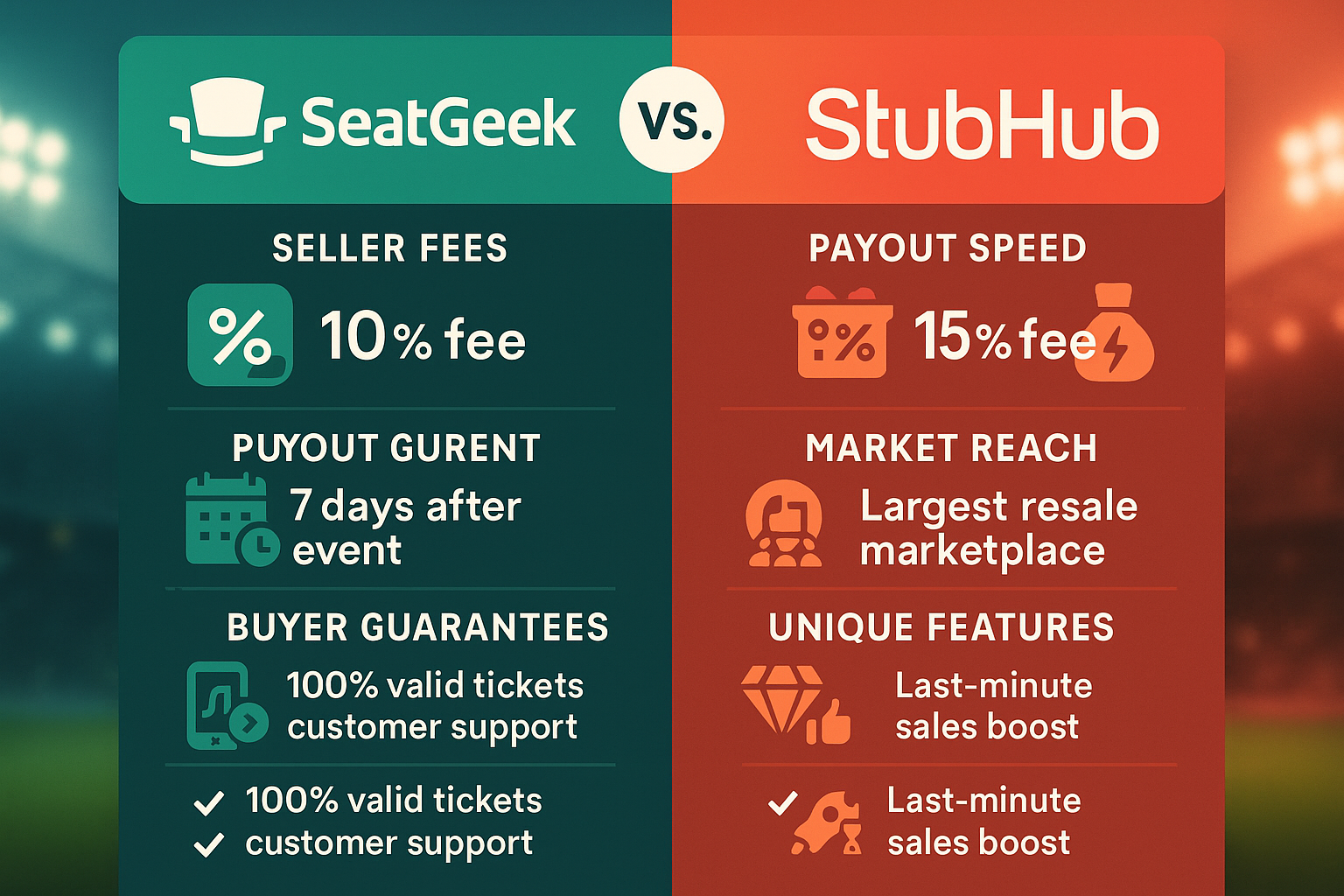
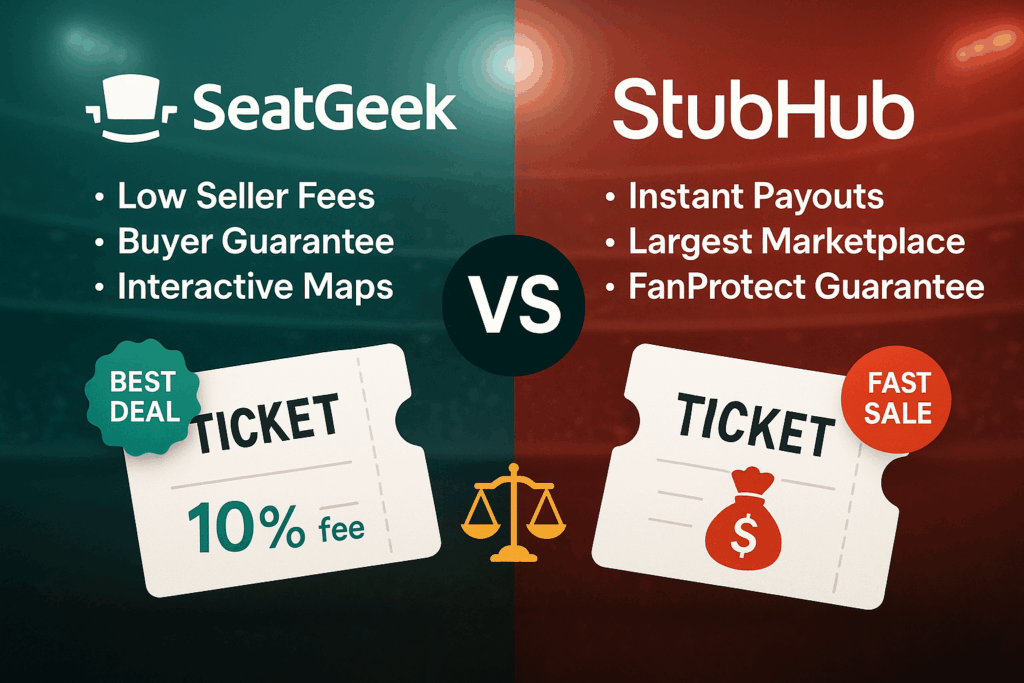
Let’s compare them based on important factors to help you decide which one to use.
-
Seller Fees
- Seatgeek: Charges a 10% fee on the sale price, which is lower than most competitors. This means you keep more of your money.
- Stubhub: Charges a 15% fee, which is higher but still standard in the industry. If you’re selling high-priced tickets, this fee can add up.
-
Buyer Reach
- Seatgeek: Has a growing audience, especially among younger users like Gen Z, due to its mobile-first approach and partnerships with teams like MLB. However, its buyer base is smaller than Stubhub’s.
- Stubhub: Has a massive, global audience, making it more likely your tickets will sell quickly, especially for popular events.
-
Ease of Use
- Seatgeek: Offers a clean, user-friendly interface on both its website and app. The Deal Score feature makes pricing easier for sellers new to the platform.
- Stubhub: Also user-friendly, with a clear website and app. Its dynamic pricing tools are helpful, but some users find Seatgeek’s design simpler.
-
Delivery Options
- Seatgeek: Requires you to upload tickets upfront (PDF, QR code, or barcode). Electronic transfers are seamless, but mailing physical tickets means you cover shipping costs.
- Stubhub: Offers similar electronic and mobile options, but mailing physical tickets may include extra fees. Stubhub’s process is slightly more flexible since you don’t always need to upload tickets upfront.
-
Speed of Sale
- Seatgeek: Some users report slower sales on Seatgeek, possibly due to a smaller buyer base or price manipulation by the platform to appear cheaper.
- Stubhub: Tickets often sell faster on Stubhub due to its larger audience and established reputation. For example, one user on a forum noted that their tickets sold in less than 30 minutes on Stubhub after failing to sell on Seatgeek.
-
Security and Trust
- Seatgeek: Offers a buyer guarantee and secure transactions. It requires upfront ticket uploads to ensure validity, reducing the risk of fraud.
- Stubhub: Has a FanProtect Guarantee to protect both buyers and sellers. Its long history and partnerships with teams add to its trustworthiness.
-
Pricing Tools
- Seatgeek: The Deal Score feature analyzes ticket prices and seat locations to recommend competitive prices, which is great for new sellers.
- Stubhub: Dynamic pricing tools show market trends and help you adjust prices to maximize profits. Both platforms help you price tickets, but Seatgeek’s suggestions may push for lower prices.
Which Platform Should You Choose?
Choosing between Seatgeek and Stubhub depends on your priorities:
- Choose Seatgeek if you want lower seller fees (10%), a user-friendly app, and helpful pricing tools like Deal Score. It’s a great option for beginners or if you’re selling tickets for events with a younger audience, like concerts or MLB games.
- Choose Stubhub if you want to reach a larger audience and sell tickets faster, especially for high-demand events. The trade-off is higher fees (15%), but the global reach and partnerships with teams can make it worth it.
- If you are still unsure, consider listing on both platforms for different events to see which works better for you. Just make sure not to list the same tickets on both to avoid issues.
The Bottom Line
Selling tickets on Seatgeek and Stubhub is a perfect way to make money from extra tickets, but each platform has its strengths. Seatgeek offers lower fees and a modern app, making it ideal for new sellers or those targeting younger buyers. Stubhub’s massive audience and fast sales make it a go-to for high-demand events, despite higher fees.